Builds
The build feature is a vital component of our app distribution platform. It provides an overview of all the versions of your app that have been uploaded to the system. With the build feature, you can manage app versions, track downloads, and organize your builds for distribution.
Accessing Build View
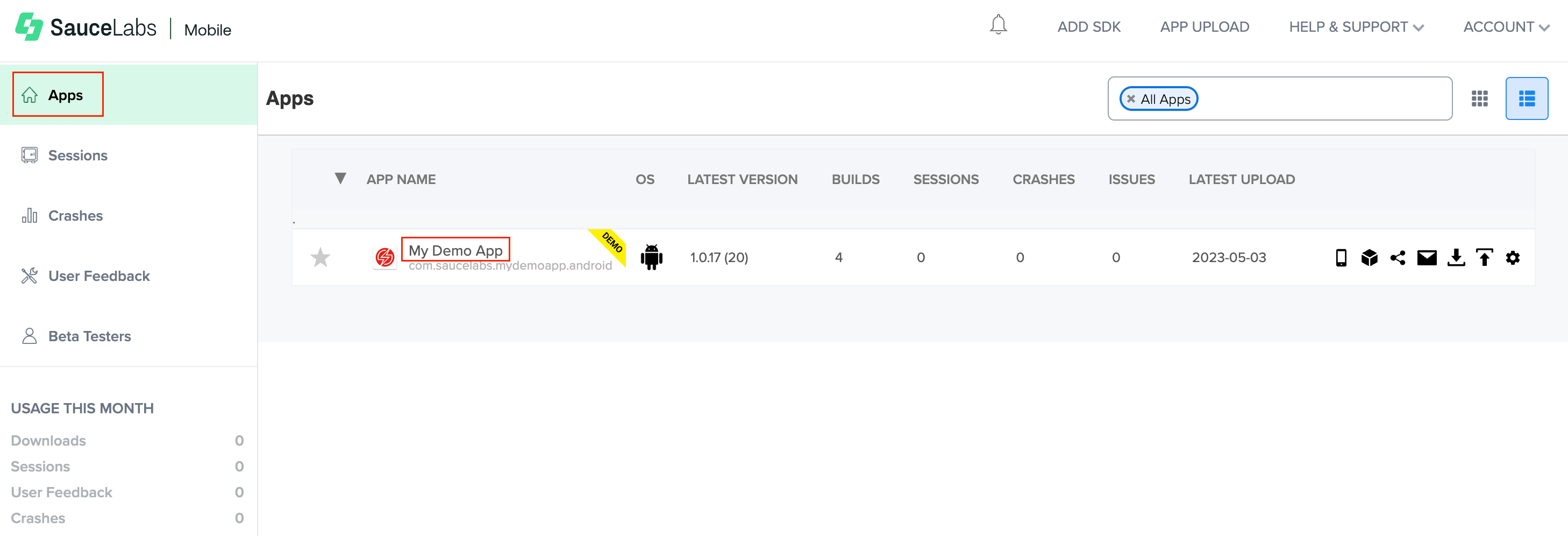
To access the build menu, click Apps on your Sauce Labs Mobile App Distribution Dashboard and select the App from the list.
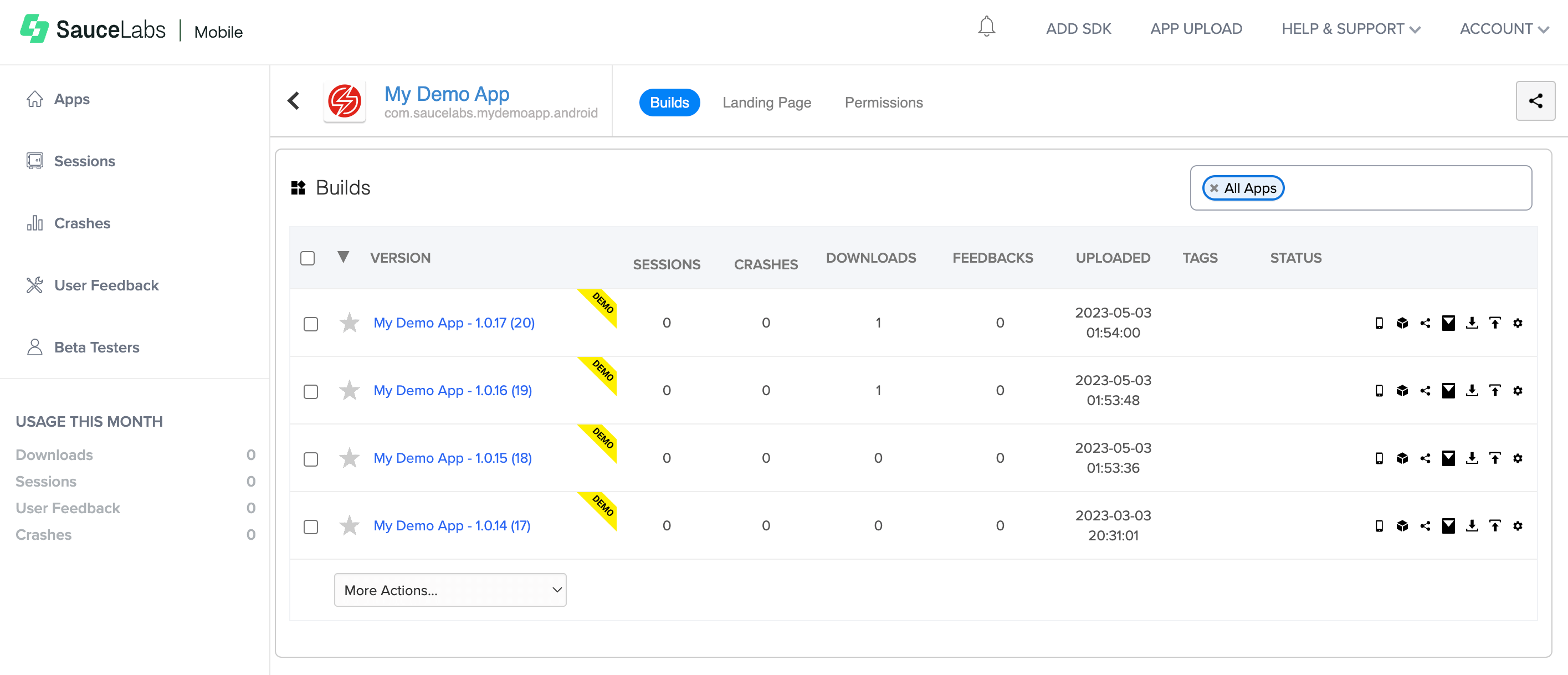
The Builds page displays a list of all the builds for the app. For each build, you can view the following information:
-
VERSION - This indicates the build name and version number.
-
DOWNLOADS - The total number of times this build has been downloaded.
-
UPLOADED - The date and time when the build was uploaded to the system.
-
TAGS - Tags are labels that help with build identification and are searchable. They can be edited in the Build Settings menu.
-
STATUS:
- Build is not loaded into the system

- Build is defined as auto-update

- Build has metadata

- Build has release notes

- Build distribution is disabled

- Build was signed with a different certificate than the previous build

- Build is not loaded into the system
Builds that are starred ( ) are displayed at the top of the table regardless of the upload order.
Tags
Tags are labels attached to builds for identification that provide additional searchable information. Tag text may contain spaces and more than one word.
You can add tags to a build during upload using the Upload API or edit them in the Build Settings menu. They are searchable in the Search box at the top of the Builds page.
Metadata
Metadata is specific information about a build. It is defined when the build is uploaded via Upload API and cannot be changed after it is uploaded.
The metadata format is metadata.key=value (for example, metadata.branch=master). Only the value is searchable in the Search box at the top of the Builds table.
Deleting Builds and Apps
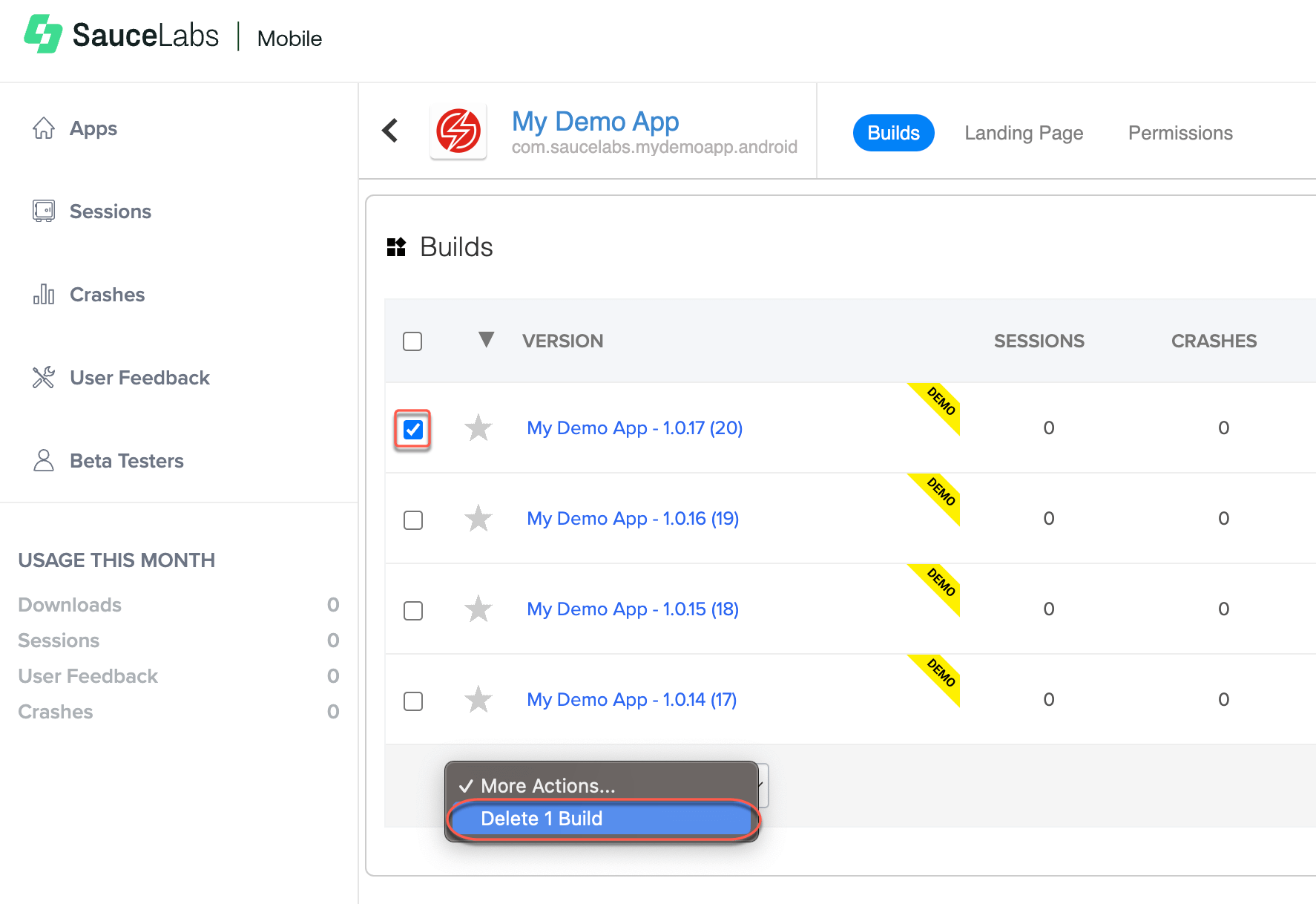
To delete a build from the system, select the checkbox and, in the More Actions… dropdown list, click Delete Build.