Find iOS Bundle ID
Retrieving the BundleID for Allow-listing Your Apps
To prevent our cleaning from removing your application after every session, this guide will help you to obtain the bundleID for these applications.
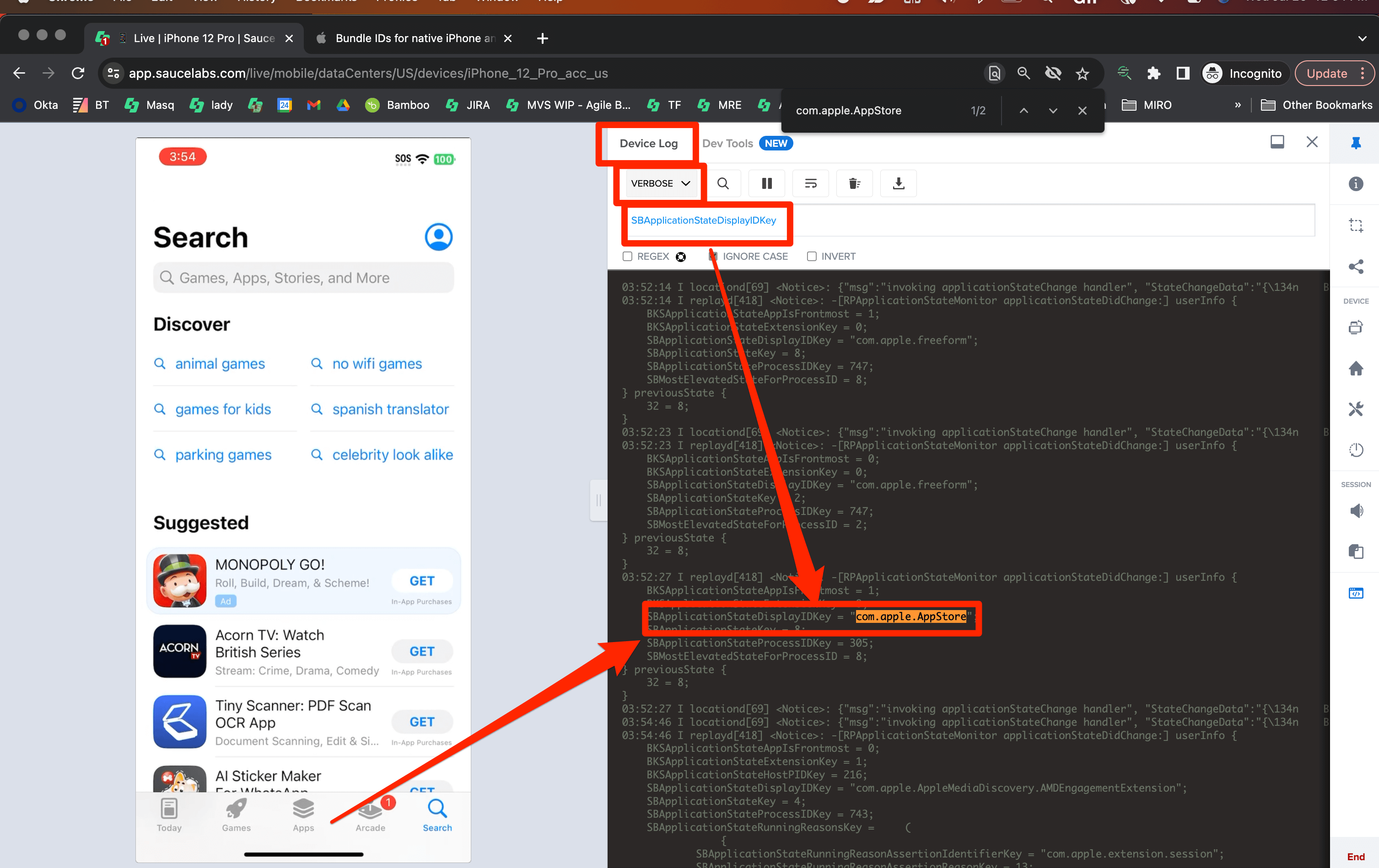
Follow these steps during live testing:
- Open a Live Testing session with an iOS Device.
- Open Device logs in VERBOSE mode.
- Clean the device logs.
- Copy-paste this string in the search bar
SBApplicationStateDisplayIDKey. - Open the application you want to be allow-listed.
- Check the values of
SBApplicationStateDisplayIDKey, which is the bundleID for any given app that has been launched.