Working with the Header (status code, latency, fetch)
Legacy Documentation
You're viewing legacy documentation for API Fortress (deployed via an on-premises container). To view documentation for the new SaaS version of API Fortress — now known as Sauce Labs API Testing and Monitoring (with Sauce Connect tunnels) — see API Testing on the Sauce Labs Cloud.
An HTTP response is made of a payload (what you are mainly interested in), but also contains contextual information. Using API Fortress you can also deal with the whole response envelope.
Overview
When you're making an HTTP request in the composer, you're providing a variable name. That variable will host the entire response payload. So let's say "payload" is the name of that variable. When the operation completes, another variable called <variable_name>_response is also created.
Therefore various pieces of information such as HTTP header and metrics are contained in the variable payload_response.
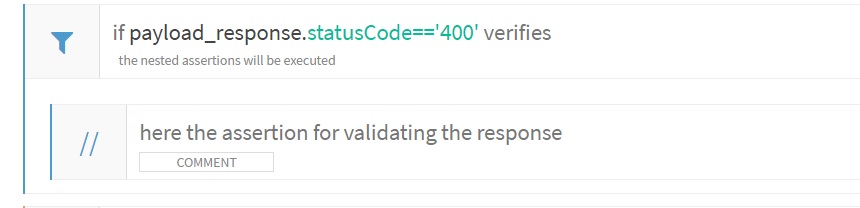
So by referencing the payload_response.statusCode expression you can access the status code. For example, if you want to run a branch of code when the status code is 400, here's how you do it:
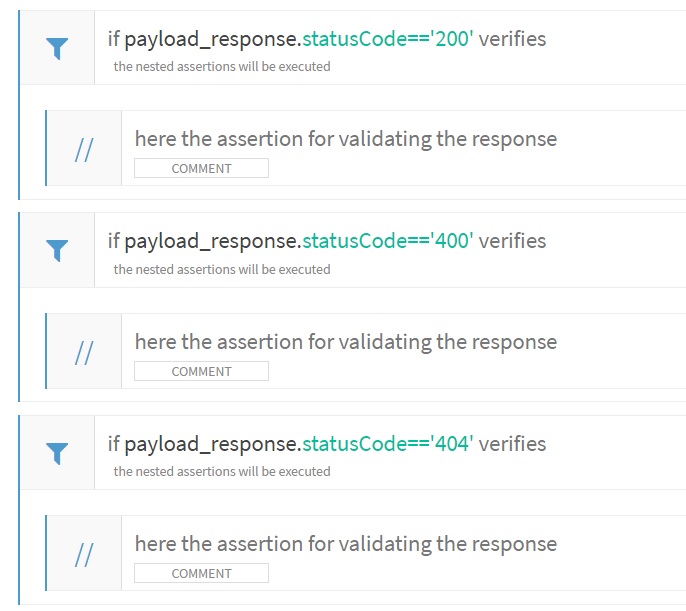
You can have multiple 'IF' conditions for checking all the possible status codes you need to check. Very useful for creating positive and negative tests.
Headers are also a big part of the response.
Let's say you want to check that a resource shouldn't be cached:

Furthermore, you can have the performance of the call verified as well.
Code View Example
Here is what it looks like in the CODE view:
<assert-less
expression="payload_response.metrics.latency"
value="350"
type="integer"
/>

<assert-less
expression="payload_response.metrics.fetch"
value="350"
type="integer"
/>

<assert-less
expression="payload_response.metrics.overall"
value="550"
type="integer"
/>
Visual Composer View
Here is what it looks like in the VISUAL view:
Use the Assert-Less component

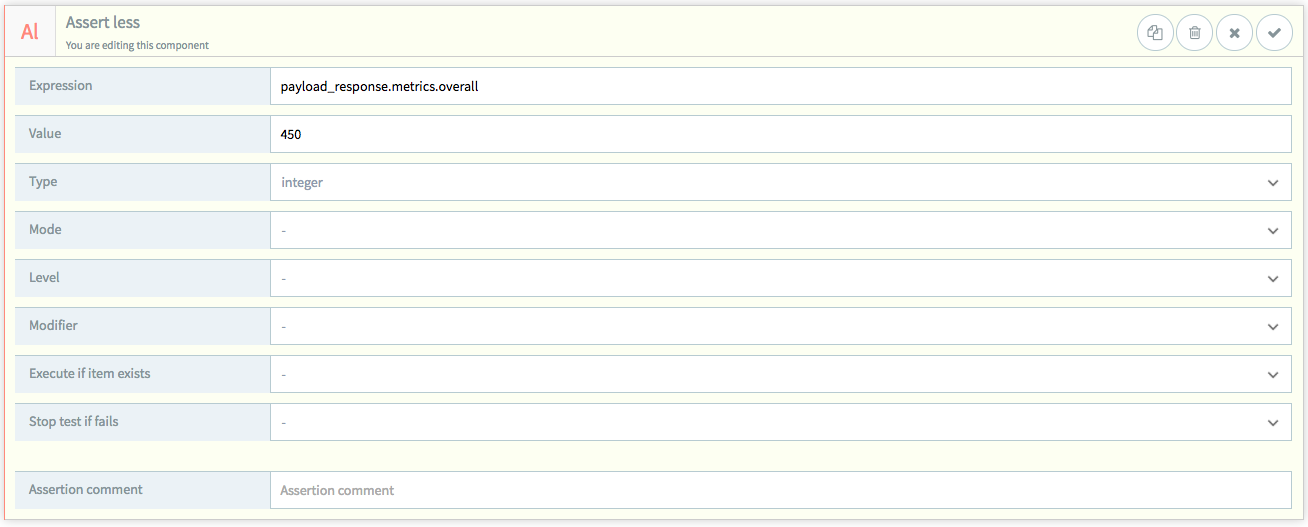
Latency is defined as time to first byte. Fetch is the total download time of the payload.