Gitter Integration with Backtrace
This guide goes through the steps necessary to integrate Backtrace with Gitter.
The steps in this process are:
- Generate a personal access token
- Set up the integration
Generate A Personal Access Token
To set up integration for Gitter, you must generate a token. While logged into Gitter, go to https://developer.gitter.im/apps and generate a personal access token.
You will use this token in the next step.
Set Up the Integration
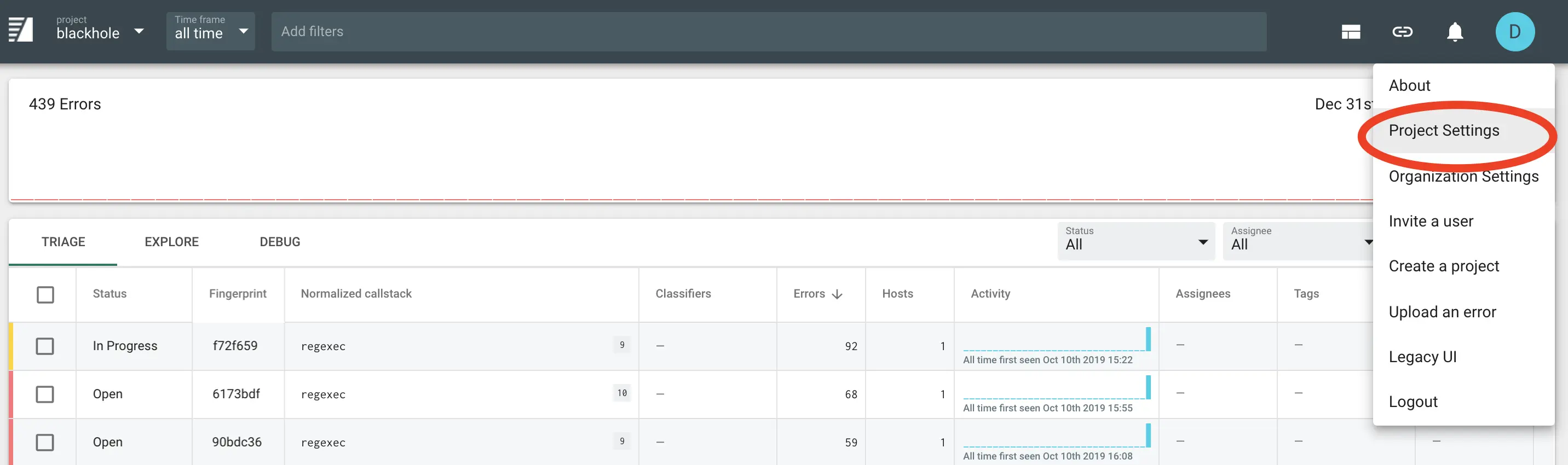
To set up the integration, first go to the Project Settings page for the project you want to add a integration for:
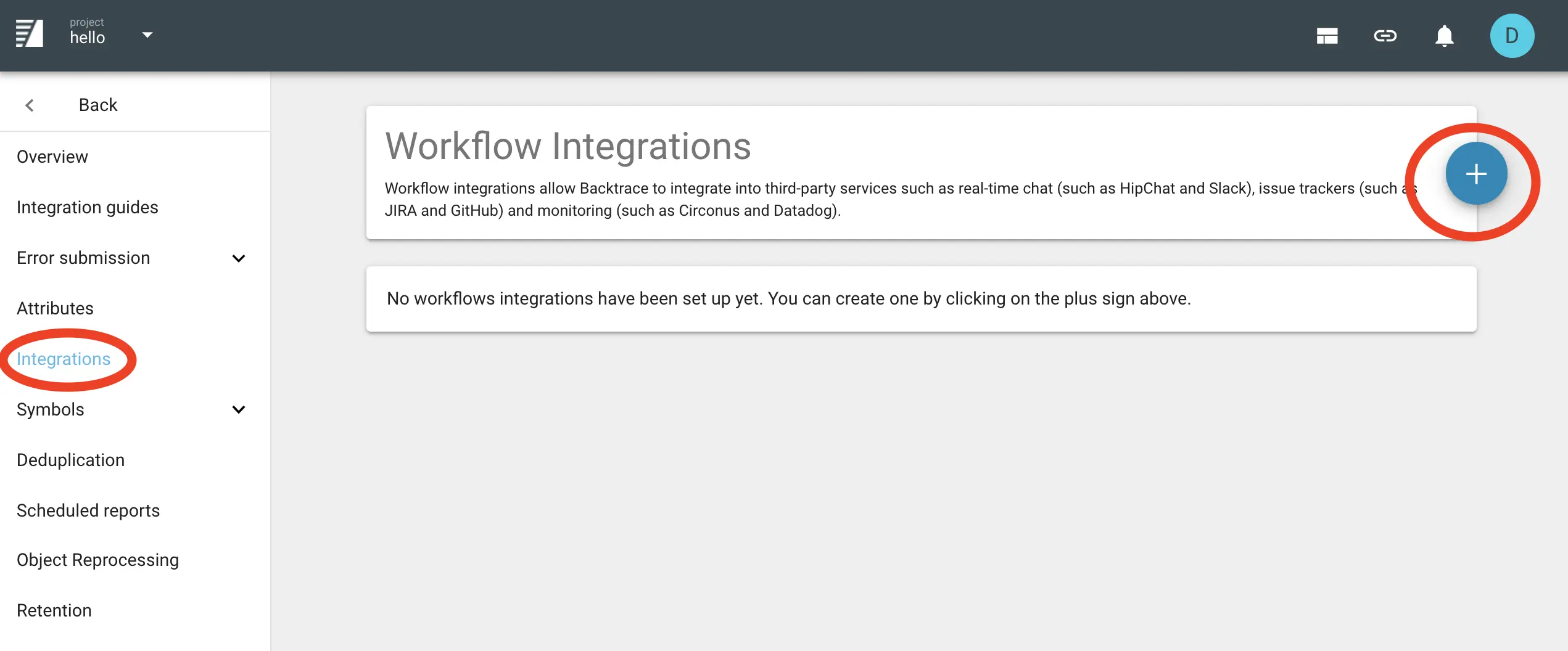
Then click Integrations in the left-hand menu, and the plus sign to create a new integration:
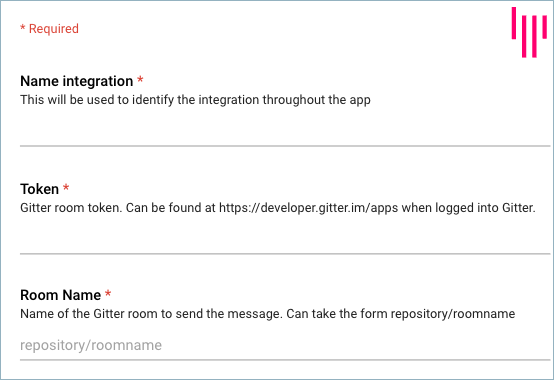
Select Gitter and fill in the required settings (name, token, and room name).
Next: After filling in the integration-specific settings, proceed to Common Settings to finish configuring the integration.