GitHub Integration with Backtrace
This guide goes through the steps necessary to integrate Backtrace with GitHub. Setting up integration with GitHub requires a valid GitHub endpoint URL, as well as an API token.
The steps in this process are:
- Generate an API token
- Set up the integration
Generate an API Token
In GitHub, click the menu in the upper-right and select "Settings". In the Personal Settings menu on the left, click "Personal Access Tokens", then "Generate new token" on the upper-right to generate an API token.
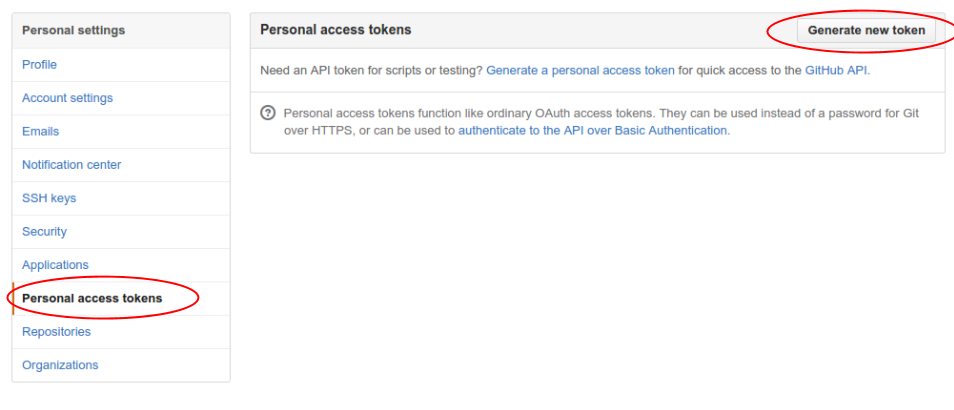
Customize the security settings as desired, making sure that the token is granted access to create new Issues. Make a note of the token, you will need it for configuration below.
Set Up the Integration
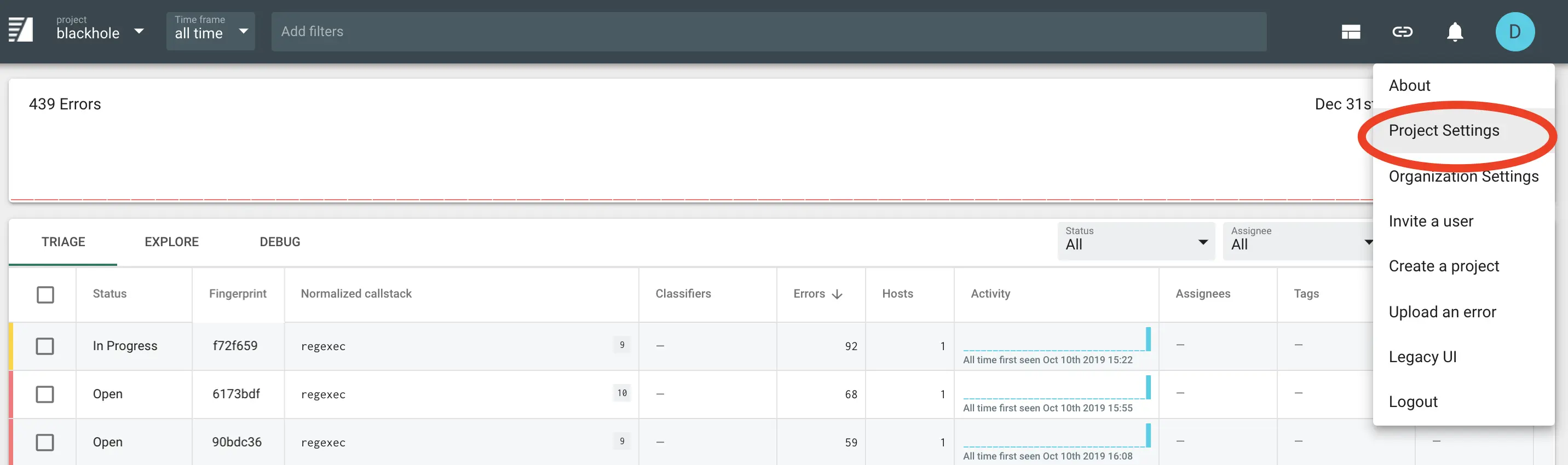
To set up the integration, first go to the Project Settings page for the project you want to add a integration for:
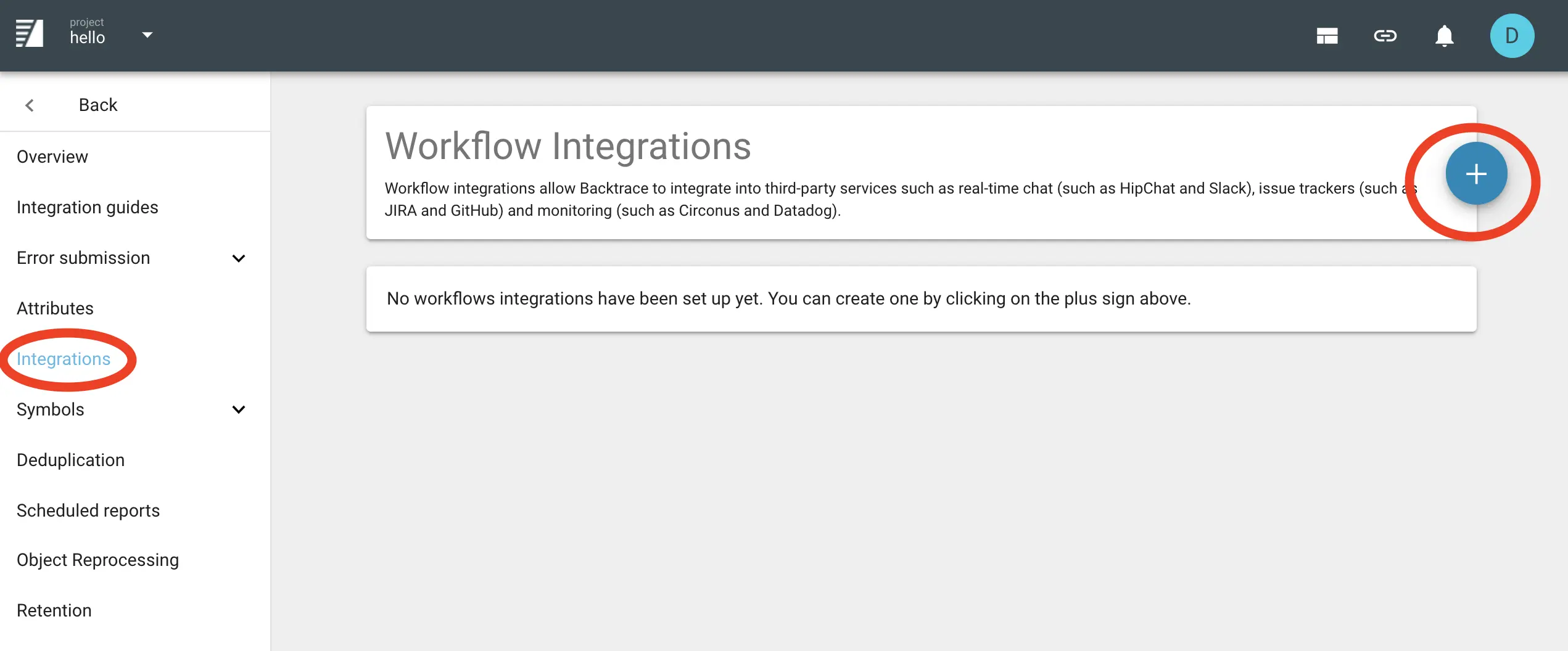
Then click Integrations in the left-hand menu, and the plus sign to create a new integration:
Select GitHub and fill in the required settings.
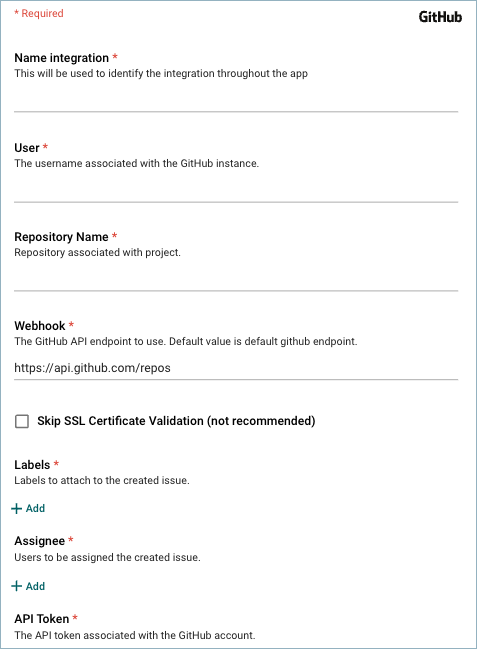
For more information about these settings, please refer to the GitHub API Documentation.
Next: After filling in the integration-specific settings, proceed to Common Settings to finish configuring the integration.