Troubleshooting
Click Errors
Element was not found
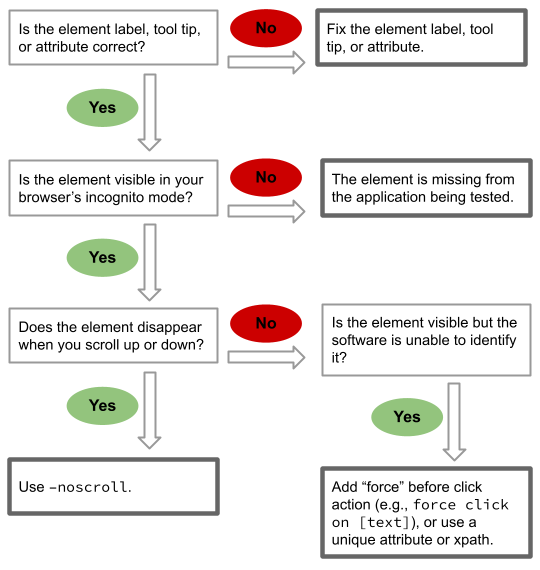
xpath not found
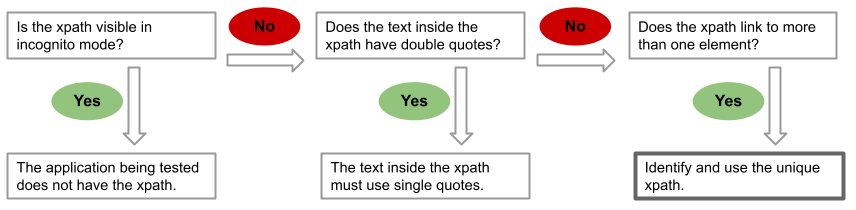
Click Issues
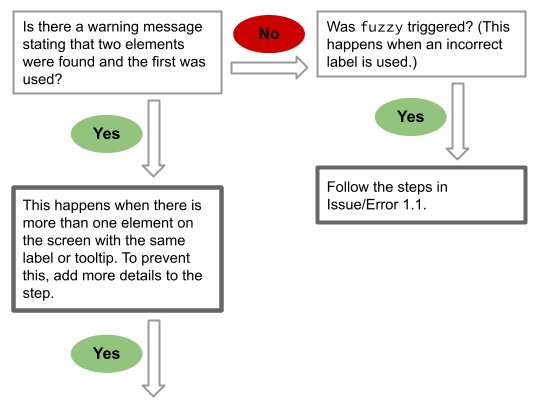
Click is successful, but not on intended element
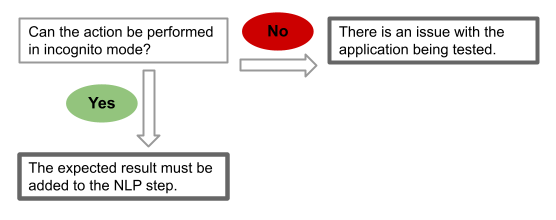
Click is successful on the right element, but action is not performed
Enter Errors
Element was not found
xpath not found
See xpath not found.
Enter Issues
Enter is successful but not on intended element
See Click is successful, but not on intended element.
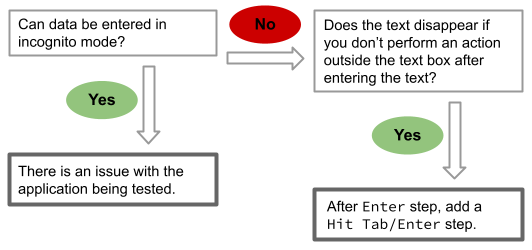
Unable to Enter on text box
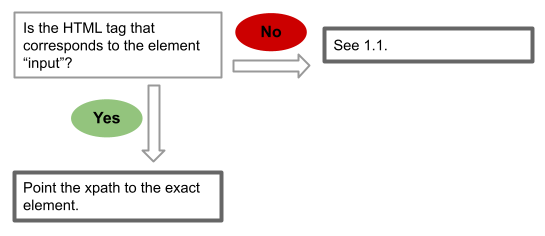
Element is entered in the correct text box, but data disappears in the next step
Select Errors
Element was not found
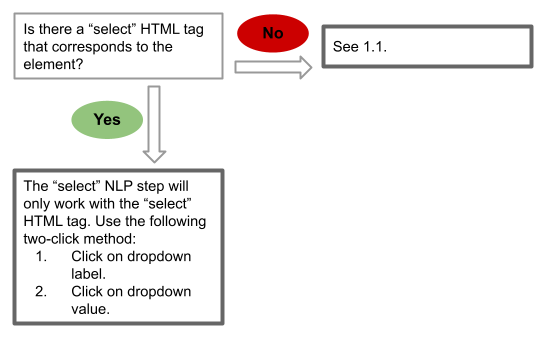
xpath not found
See xpath not found.
Select Issues
Select is successful but not on intended element
See Click is successful, but not on intended element.
Upload Errors
Unable to upload file
Problem: File is not being uploaded in the Upload field. Cause: The file name or upload method is incorrect. Solution:
- Check if the file was uploaded to Artifact on the Data tab.
- Check if the file is attached to the correct test case.
- Check if the file name includes the extension.
Other Errors
Parsing Error
Problem: Parsing Error is displayed and the test steps disappear.
Cause: The block is incomplete or incorrect.
Solution:
- Check if the block in the test case includes
End Block. - Check if the block statement is incorrect.
Variable is not found
Problem: A variable cannot be located in the data file. Cause: Variable names are case sensitive. Solution: Make sure the variable name case is consistent.
Not processed
Problem: A step in the step editor displays a Not processed error message.
Cause: A data sheet is not attached to the test case.
Solution: Attach a data sheet to the test case.
Failed to create driver
Problem: During test generation or execution, the Failed to create driver error message is displayed.
Cause: Not enough space in your C: drive.
Solution: Ensure there is enough space in your C: drive.