Use Sauce AI Agent
Sauce AI Agent helps you explore and understand your testing data using natural language. Instead of manually reviewing dashboards and reports, you can ask questions about your test results and receive clear, AI-generated answers.
The agent automatically uses the data available in the Sauce Home widgets to provide relevant insights, summaries, charts, and recommendations, helping you investigate issues and understand your testing results more efficiently.
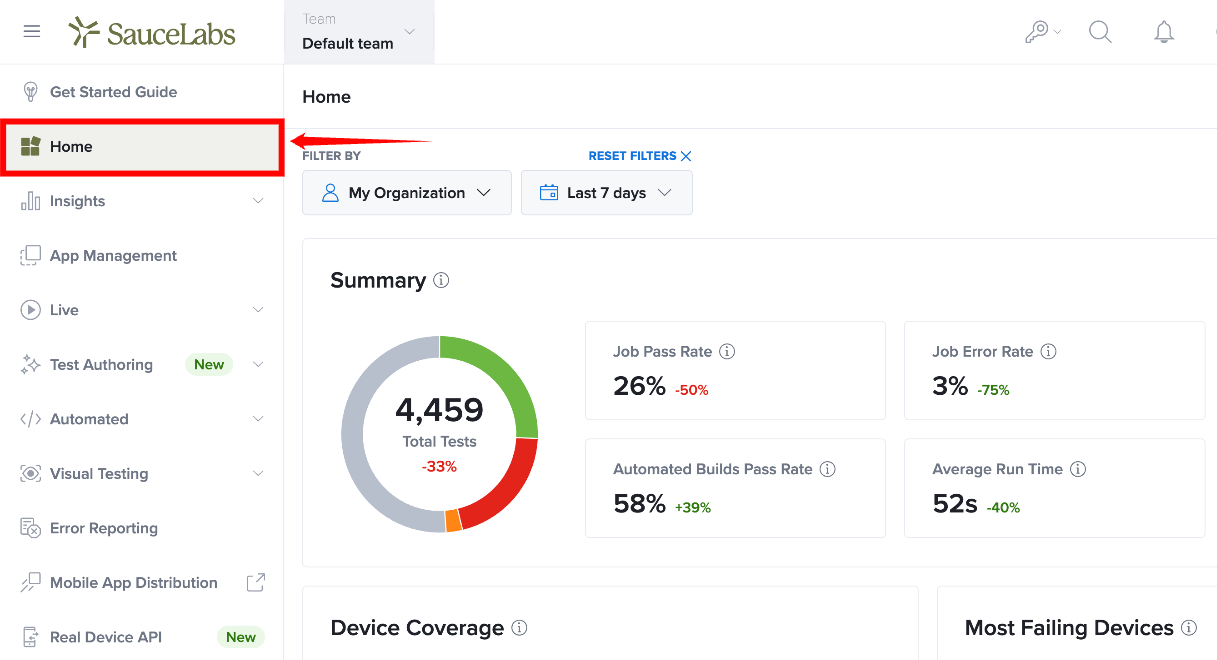
Step 1: Inside your Sauce Labs account, by default, you are directed to the Home page.
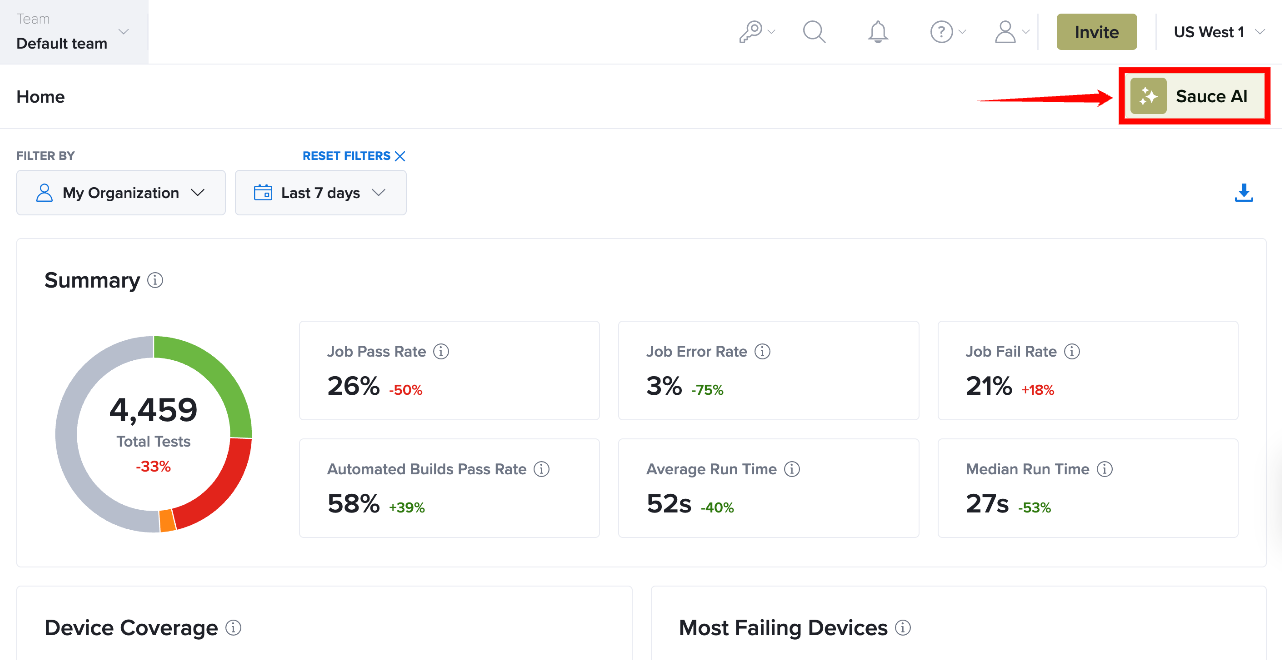
Step 2: Click on the Sauce AI icon located on the top right corner of Home page.
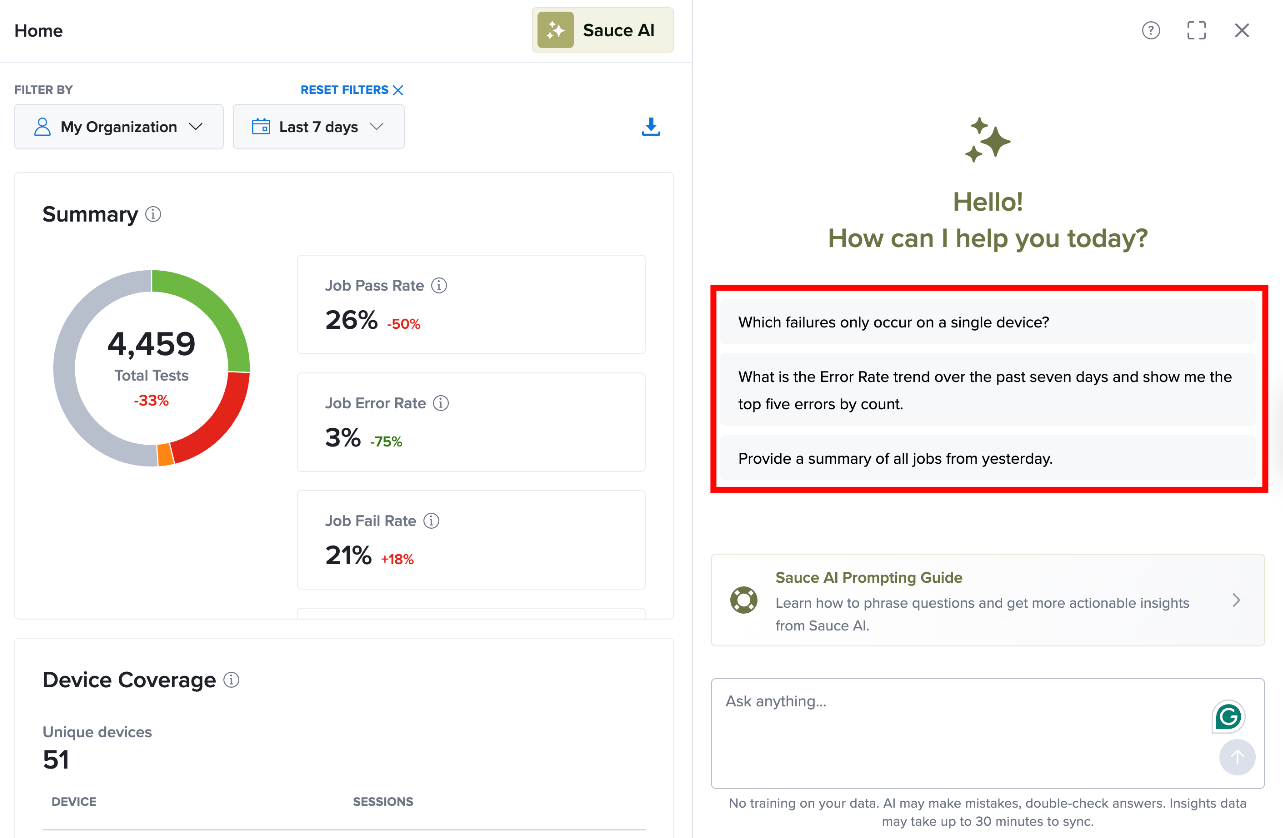
Step 3: When the AI Assistant chat panel opens, review the available example prompts. Click on any suggested prompt or write your own query in plain English.
Step 4: Submit your question. The AI Assistant automatically uses the available data and apply filters to generate a response in the form of insights, summaries, charts, or tables.
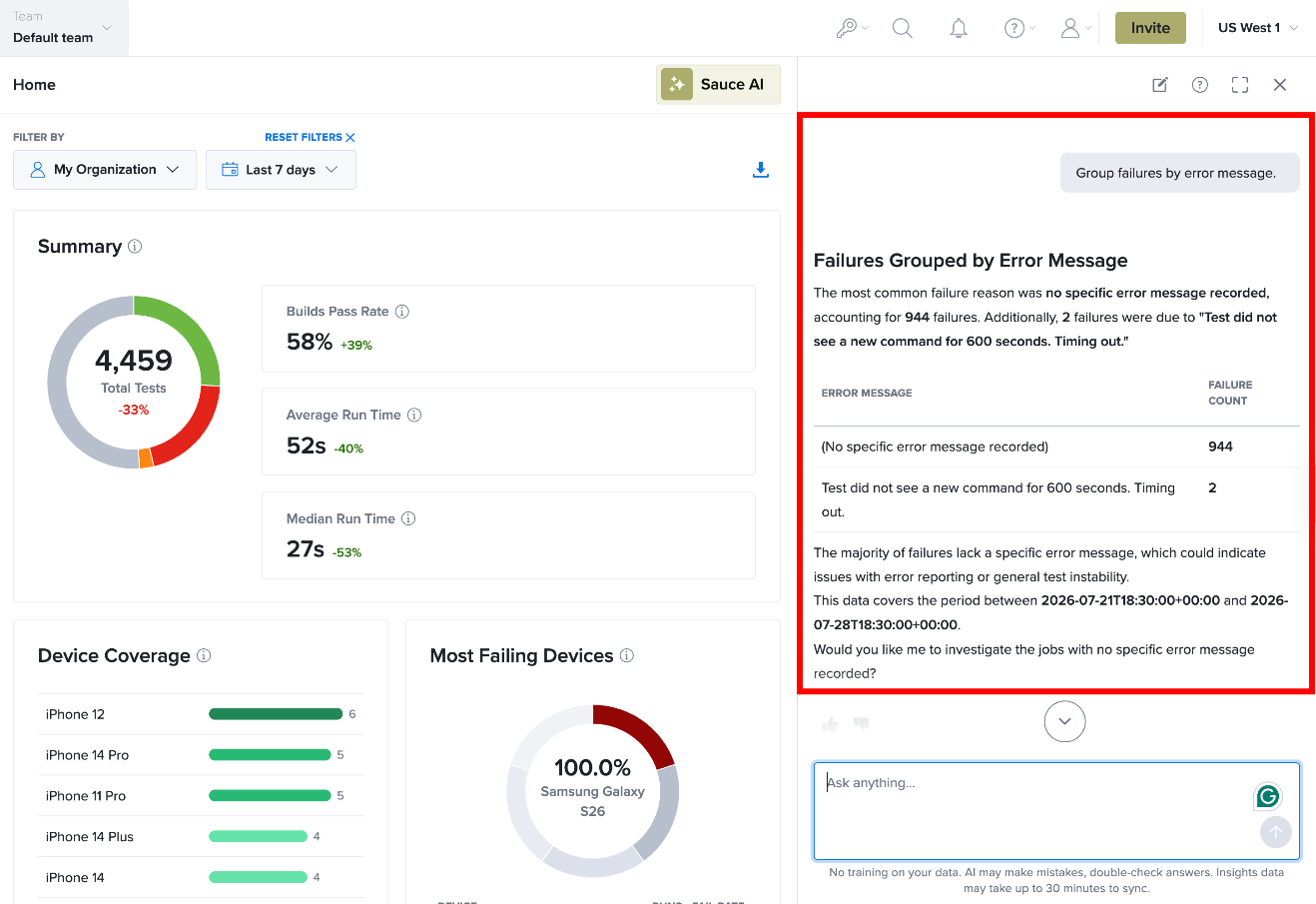
Sauce AI uses generative AI to produce context-aware responses based on your testing data. While responses are designed to be accurate, always review the results before acting on them. For AI-assisted debugging of a specific failed test using a Job ID, see Automated Bug Troubleshooting.
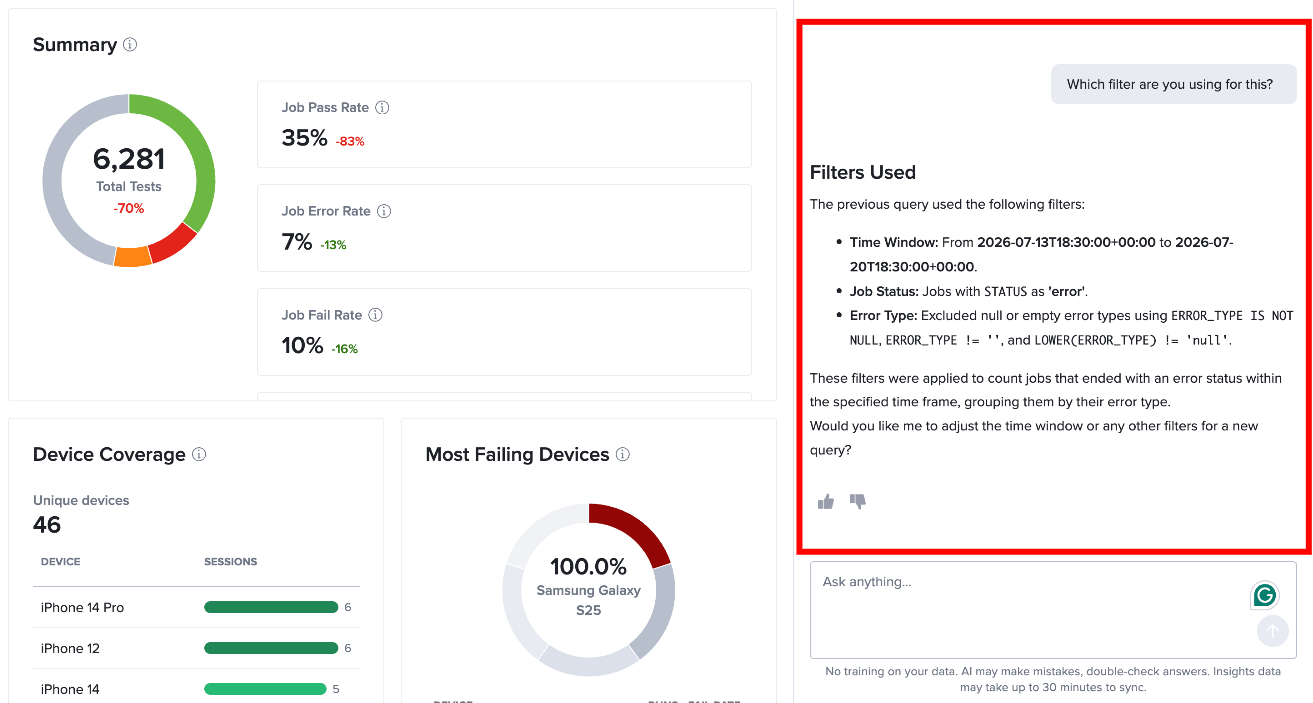
To better understand how an insight was generated, you can write follow-up prompts with in the chat interface itself to ask Sauce AI about the filters and source APIs used to generate the results.