Generate Symbol Access Token
A symbol access token allows you to authenticate automated symbol uploads from build scripts, CI/CD pipelines, or other tools. Once generated, the token can be used to upload symbol files to Error Reporting without requiring user credentials.
To generate a symbol access token:
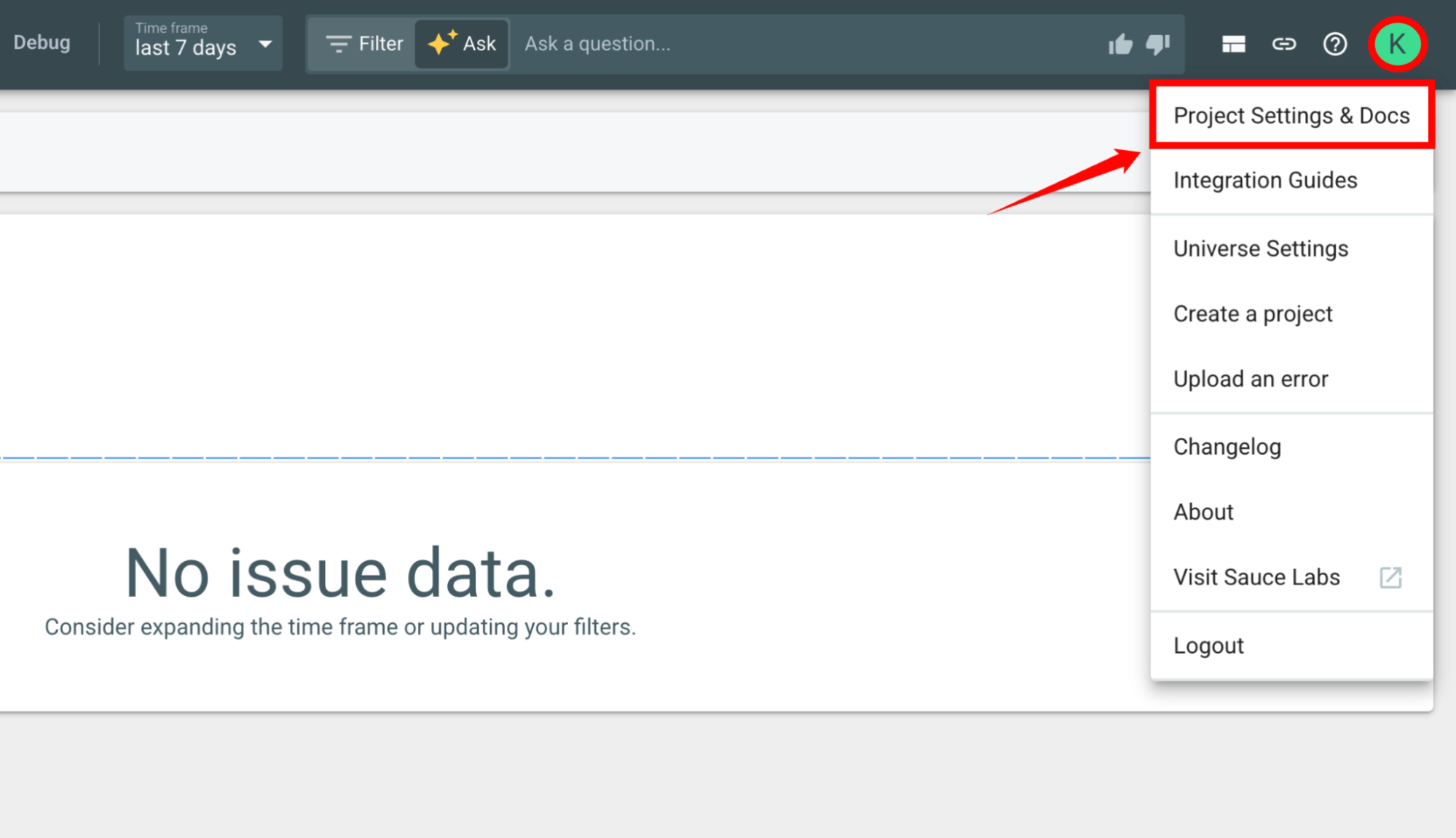
Step 1: Open the Error Reporting project where you want to upload symbols. In the upper-right corner, click your profile icon, and then select Project Settings & Docs.
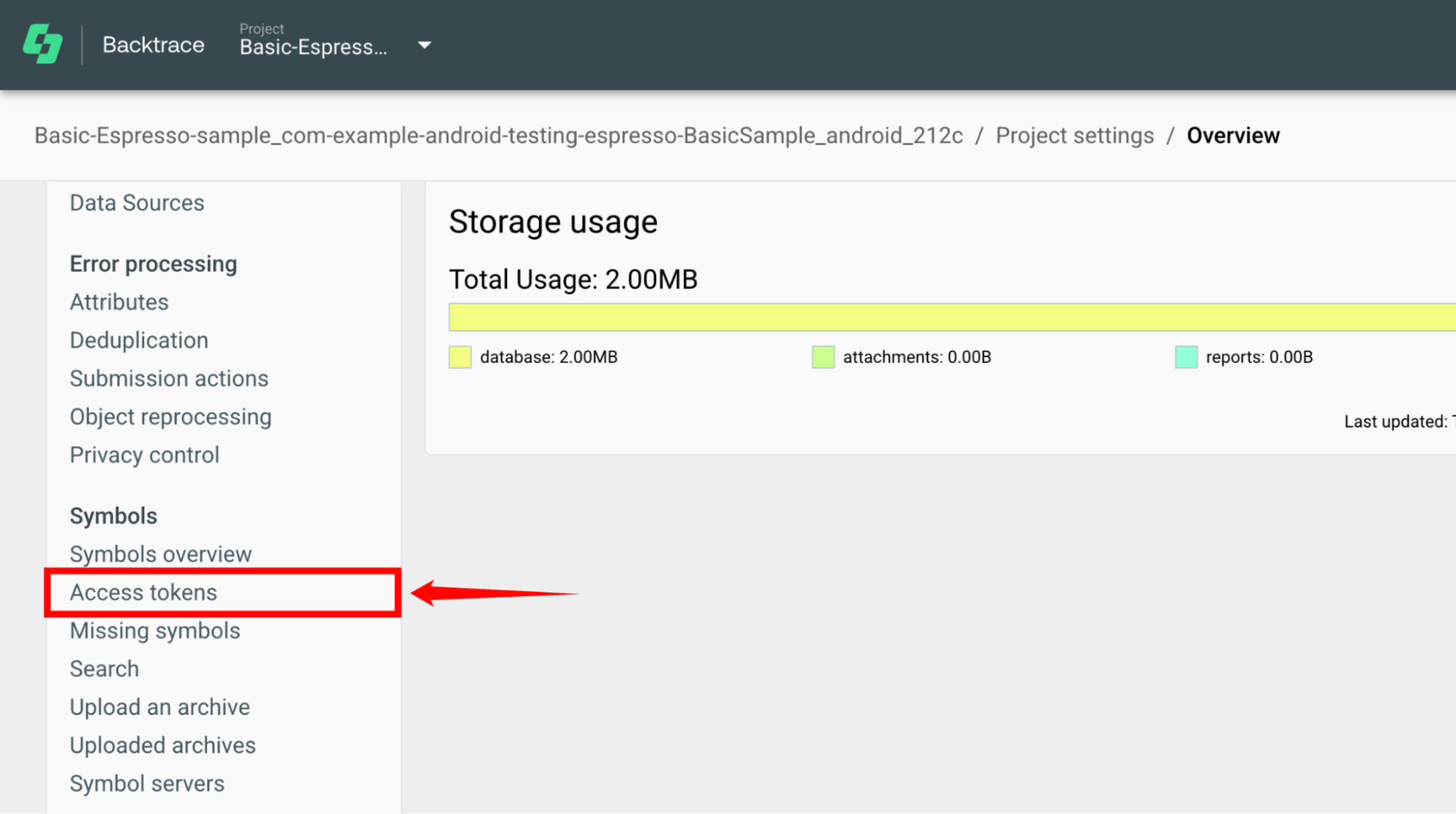
Step 2: In the left navigation pane, under Symbols, click Access tokens.
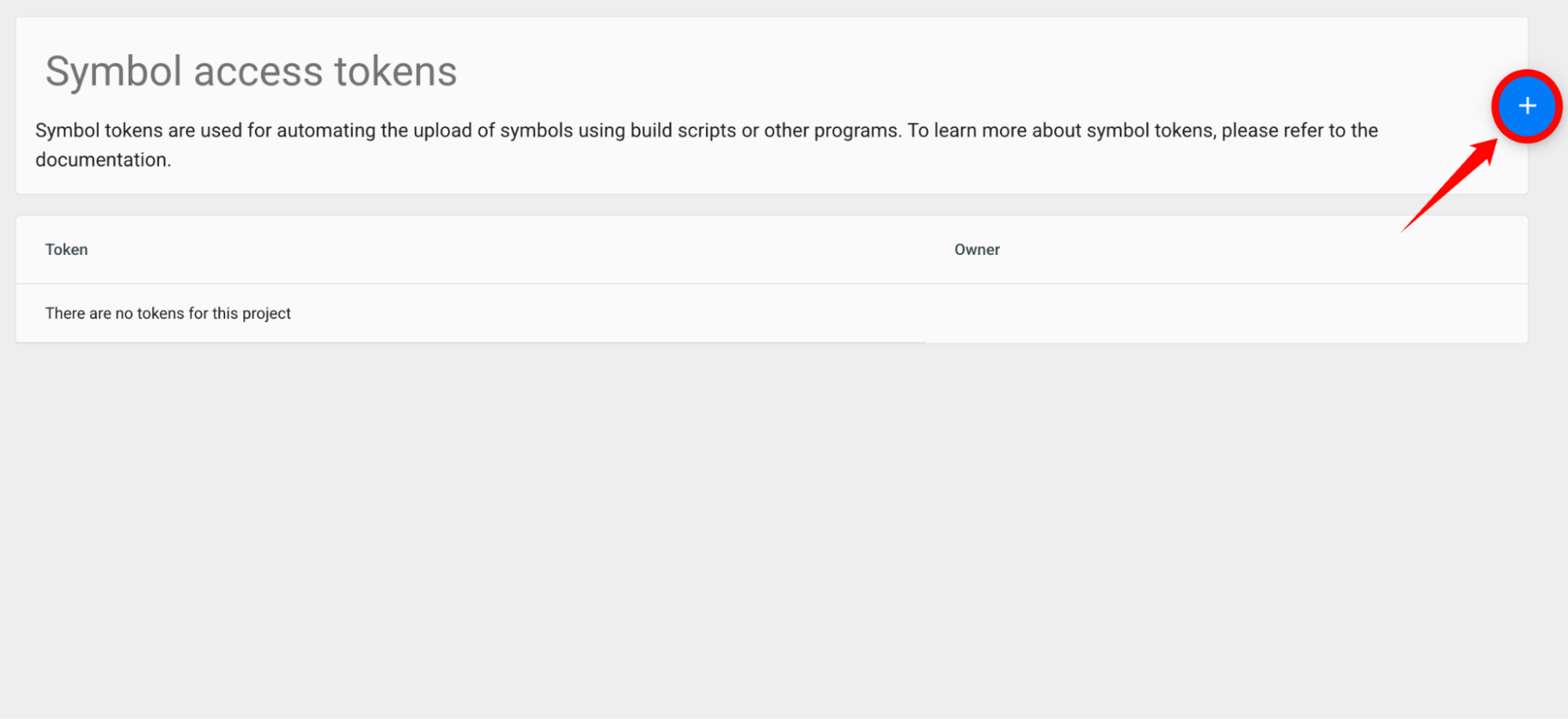
Step 3: The Symbol access tokens page displays all existing access tokens for the project. If no tokens have been created, the page displays an empty list.
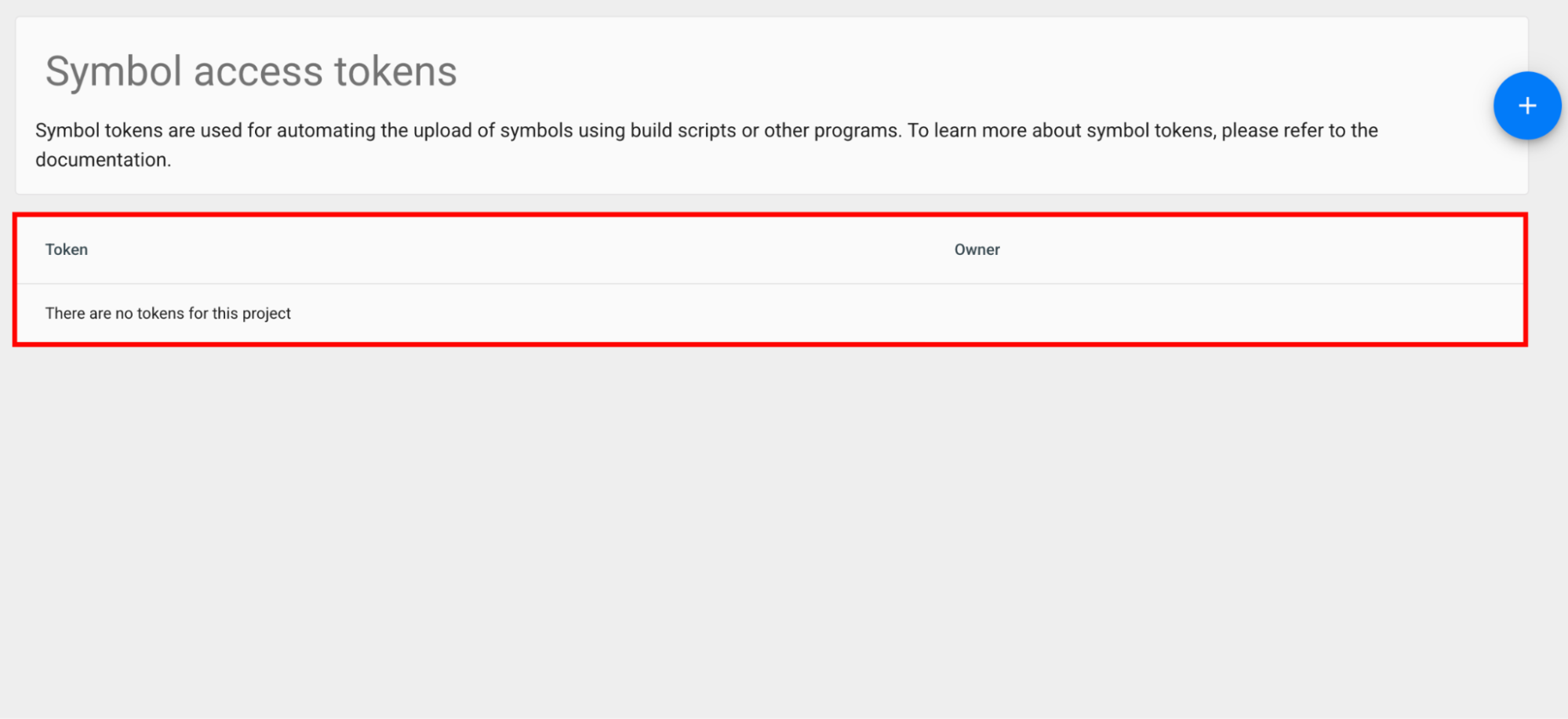
Step 4: Click the + (Create) button in the upper-right corner of the page. A new symbol access token is generated automatically.
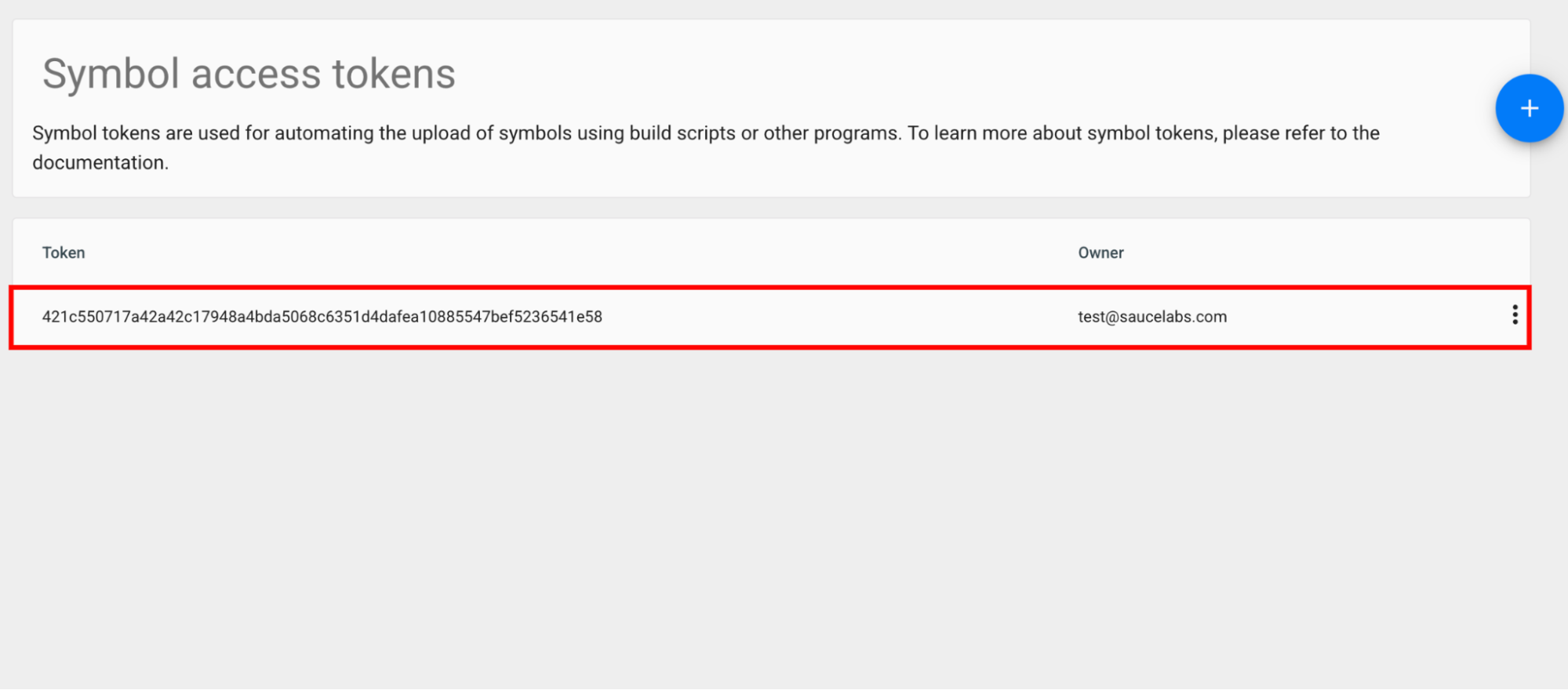
Step 5: A new symbol access token is generated and added to the Symbol access tokens list. Copy and securely store the token for symbol uploads.