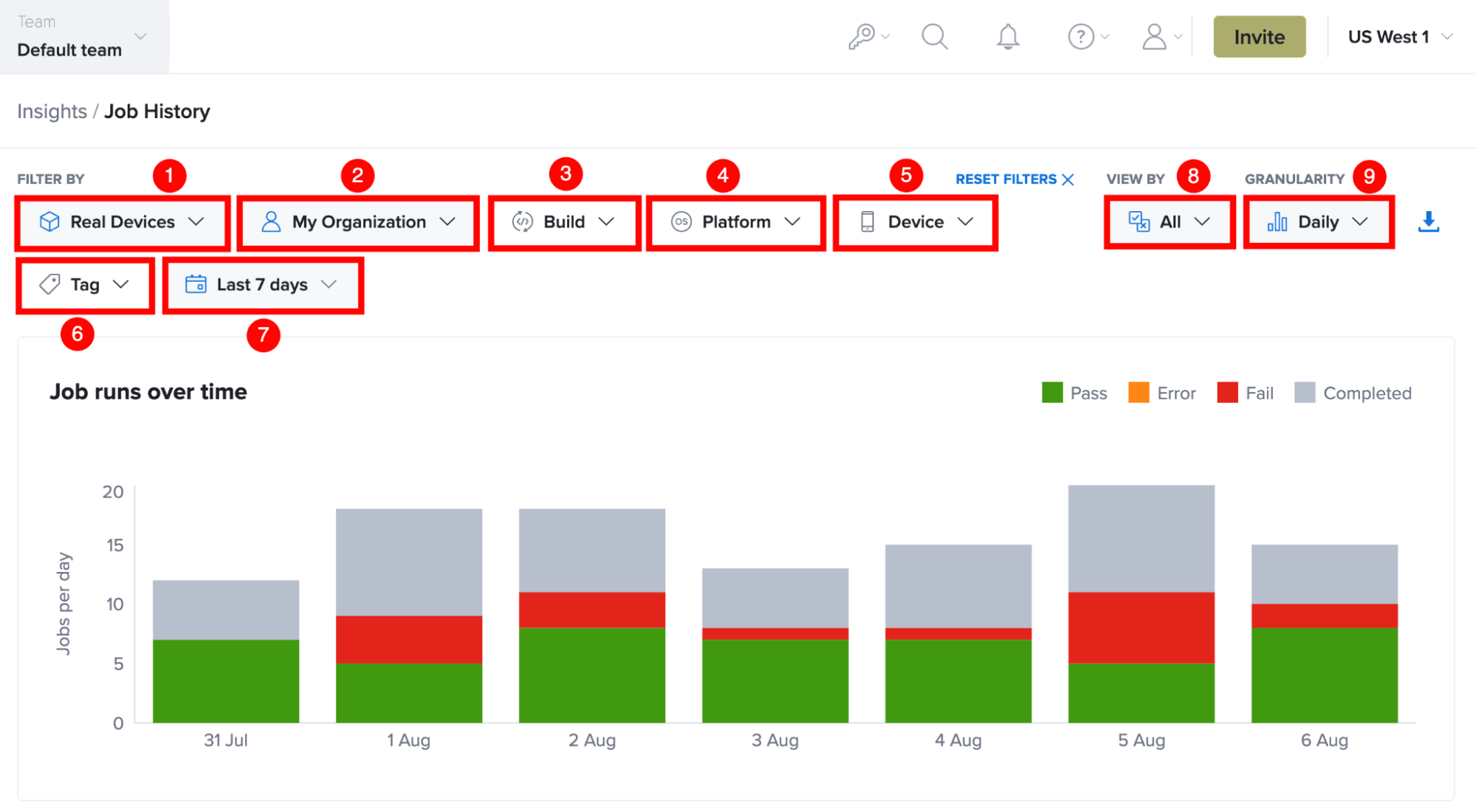
Filter Controls For Job History
The Job History page includes a set of filters that help you narrow the displayed job execution data. Applying filters allows you to focus on specific jobs, platforms, builds, browsers, frameworks, or time periods, making it easier to analyze test performance and investigate execution trends.
You can apply one or more filters at the same time. All filters are applied to the Job runs over time chart, summary statistics, and Job History table.
The following filters are available on the Job History page.
| Ref. | Filter | Description |
|---|---|---|
| 1 | Device Type | Filters job execution data by the selected device type. Use this filter to display jobs executed on Virtual Devices or Real Devices. |
| 2 | Scope | Filters job execution data by the selected scope. Depending on your access, you can view jobs associated with My Jobs, My Organization, My Team, or a Service Account. |
| 3 | Build | Filters job execution data by one or more build IDs. Use this filter to analyze the execution history of a specific application build or release. |
| 4 | Platform | Filters job execution data by the selected operating system, such as Android, iOS, Windows, or macOS. |
| 5 | Device | Filters job execution data by the selected device model. Use this filter to review execution results for a specific device or compare test behavior across different devices. |
| 6 | Tag | Filters job execution data by one or more tags associated with the test jobs. Use tags to focus on a specific feature, release, test suite, or other tagged group. |
| 7 | Date Range | Filters job execution data for the selected reporting period. The chart, summary statistics, and Job History table are updated to display data only for the selected timeframe. |
| 8 | View By | Filters the Job History table by execution status. You can display All jobs or focus on jobs with Consistently Passing, Consistently Failing, Consistently Error, Missing Status, or Flaky executions. |
| 9 | Granularity | Changes how the Job runs over time chart groups execution data. You can view trends by Hourly, Daily, or Weekly intervals, depending on the selected reporting period. |
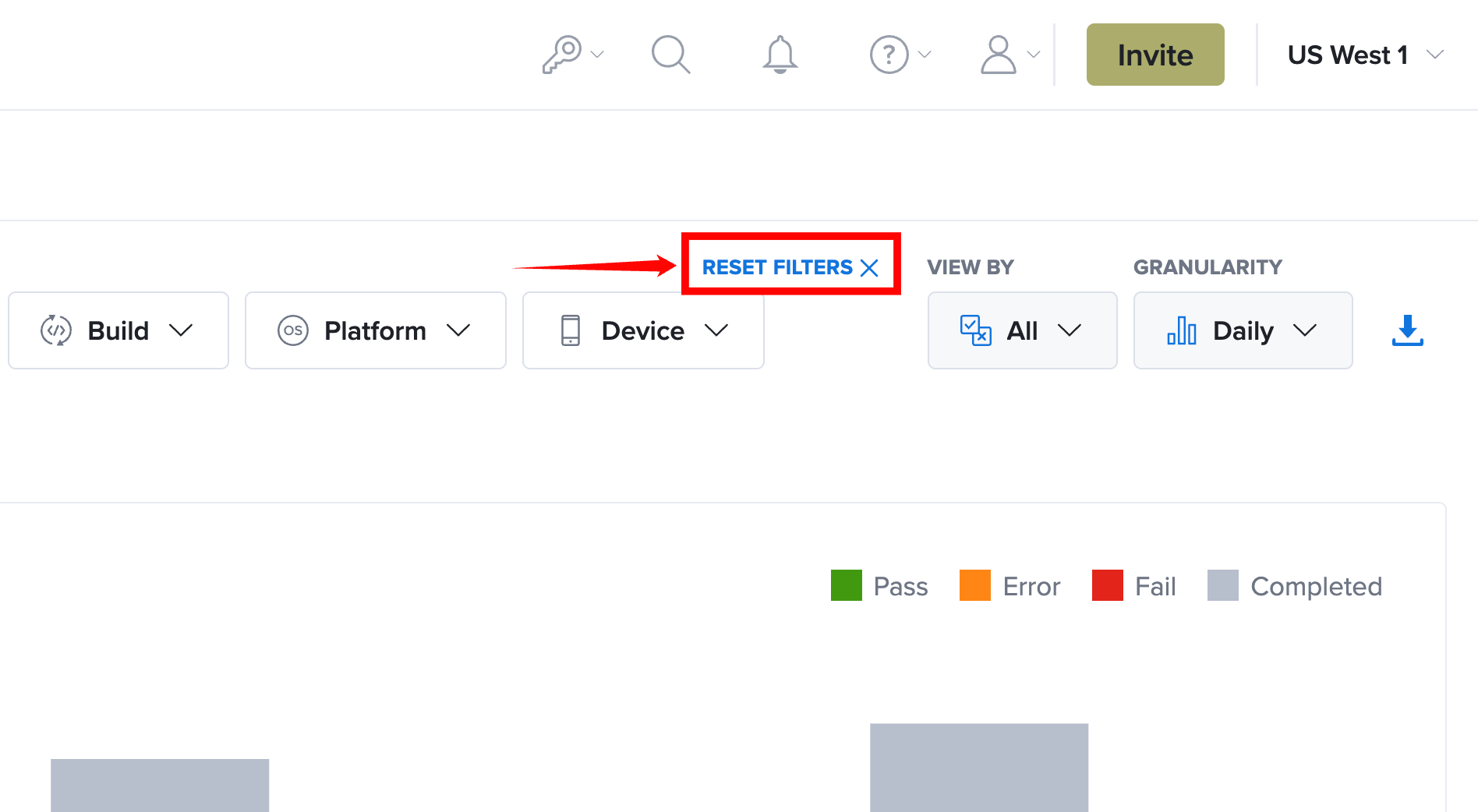
Reset Filters
Select Reset Filters to remove all applied filters and restore the default filter settings. The Job runs over time chart, summary statistics, and Job History table are automatically refreshed using the default filter configuration.