Submitting User Feedback
Beta release
Getting feedback from users and testers is crucial in the app development process. It provides valuable insights and helps improve the overall user experience. Sauce Labs Mobile App Distribution offers an effortless way to collect feedback through its In-App Feedback feature. By integrating the Sauce Mobile Beta SDK into your app, you can enable users to report bugs, suggest improvements, and share their thoughts directly in the app.
Using In-App Feedback
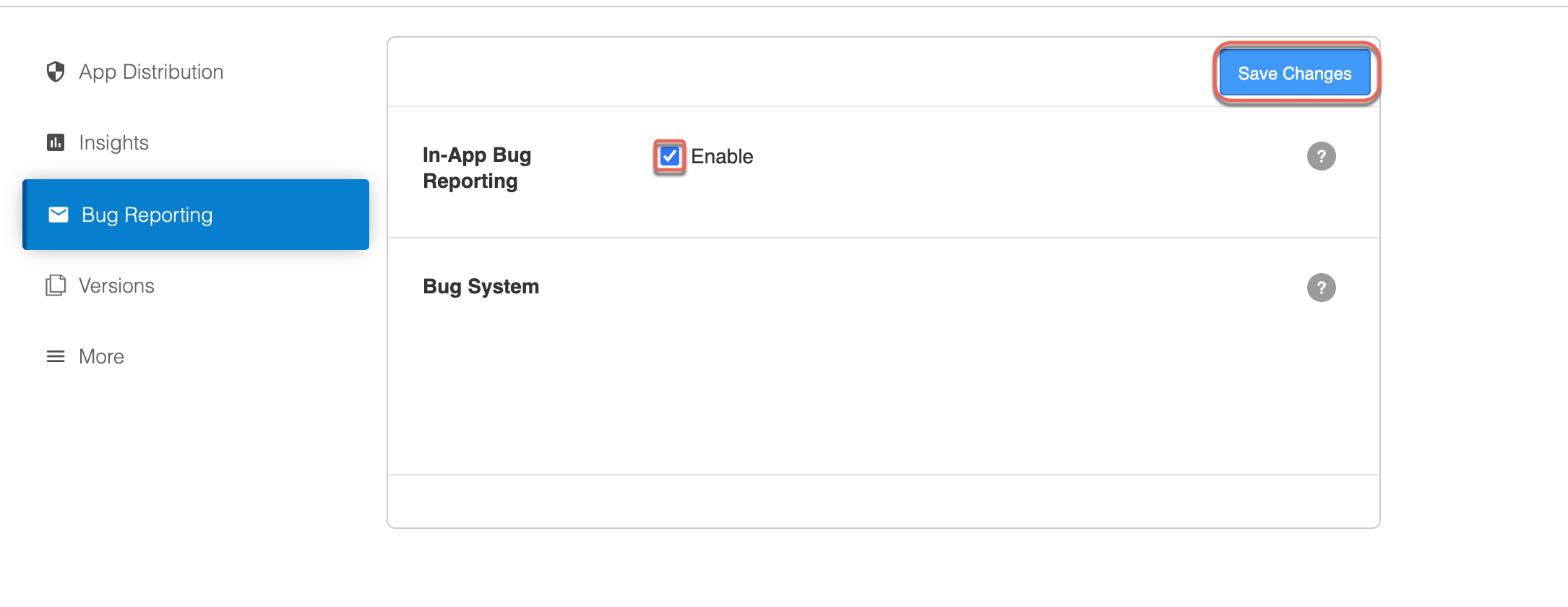
Sauce Labs Mobile App Distribution provides an effortless way to collect this feedback. If you added the Sauce Mobile Beta SDK to your app, then all you need to do is enable the In-App Bug Reporting feature in your build settings in the Sauce Labs Mobile App Distribution dashboard, and you can start collecting feedback from your users with "shake to report":
Users or testers can initiate the feedback collection process by shaking their devices while using the app. When they shake the device, the feedback form will be triggered, allowing them to report bugs or share their suggestions.
This feedback will be added to the app session they are running.
All feedback includes a screenshot, device information, submitter email, and text comments added. The feedback is added to the event timeline so you can find it without difficulty.
Feedback Contents
When users provide feedback using the In-App Bug Reporting feature, the following information will be included:
- Screenshot - A screenshot of the app at the moment the feedback was triggered.
- Device Information - Details about the device, such as model, OS version, and other relevant technical information.
- Submitter Email - If available, the email address of the user or tester providing the feedback.
- Text Comments - Users can include specific comments to describe the issue or suggestion they are reporting.
- Event Timeline - The feedback will be added to the app's event timeline, so developers can track and analyze the feedback.
Customizing In-App Feedback
Sauce Labs Mobile App Distribution allows you to customize the way In-App Feedback is collected. If you prefer not to use the shake gesture for feedback collection, you can programmatically invoke the feedback form using a button click or any other gesture in your app. This way, users can access the feedback form from a designated area in the app, like the help menu or after encountering unexpected errors.
If you choose to invoke the feedback form programmatically, it will be shown regardless if the in-app feedback is disabled in your build settings.
- Android
- iOS
- React Native
TestFairy.showFeedbackForm();
// Be sure to import the SDK
import com.testfairy.TestFairy;

// Can be invoked on a button press
// or after your app passes a given page
TestFairy.showFeedbackForm();
showFeedbackForm() requires a running session. To collect feedback without a session, call TestFairy.showFeedbackForm(context, "<sauce-mobile-beta-token>", true). For custom fields, validation and callbacks, see Customizing the Feedback Form.
[TestFairy showFeedbackForm];
// Be sure to import the SDK
#import "TestFairy.h"

// Can be invoked on a button press
// or after your app passes a given page
[TestFairy showFeedbackForm];
import TestFairy

TestFairy.showFeedbackForm()
On iOS, if the In-App Bug Reporting feature is enabled, the feedback form will also be shown when the tester takes a screenshot.
pushFeedbackController is deprecated. Use showFeedbackForm, which requires a running session. To collect feedback without one, call [TestFairy showFeedbackForm:@"<sauce-mobile-beta-token>" takeScreenshot:YES]. To hide the email field or add custom fields, see Customizing the Feedback Form (setFeedbackEmailVisible: is deprecated).
TestFairy.pushFeedbackController();
// Be sure to import the SDK
import TestFairy from '@saucelabs/mobile-beta-react-native';

// Can be invoked on a button press
// or after your app passes a given page
TestFairy.pushFeedbackController();

// Without a running session:
TestFairy.showFeedbackForm('<sauce-mobile-beta-token>', true);
pushFeedbackController() shows the form for the running session. showFeedbackForm(appToken, takeScreenshot) also works without a session.Customizing the Feedback Form
The built-in form has an email field, a message field and, depending on the platform, buttons to attach a screenshot or a screen recording. You customize it by building a feedback options object and handing it to the SDK before the form is shown. Doing so before beginWithoutCrashHandler is fine. The feedback classes are in the TestFairy module on iOS and the com.testfairy package on Android.
The form can be shown in two ways. showFeedbackForm() with no arguments requires a running session and attaches the feedback to it. The overload that takes the app token (showFeedbackForm(context, appToken, takeScreenshot) on Android, showFeedbackForm(appToken, takeScreenshot:) on iOS and showFeedbackForm(appToken, takeScreenshot) on React Native) works without a session, optionally captures a screenshot first, and the feedback appears in the build's Feedbacks tab.
Rules that apply on Android and iOS:
- Setting a list of form fields replaces the default fields. To keep the email and message fields, add them yourself with the reserved attribute names
:userId(email or user identifier) and:text(message). Always include a:textfield. - Every other field is sent with the feedback as a feedback attribute named after the field's attribute key, so pick short, stable names.
- Three field types are built in: single-line text (String), multi-line text (TextArea) and a dropdown list (Select, a map of label to value). You can add up to 32 fields. Attribute names must be non-empty and unique (duplicates are dropped). For any other control, implement the
FeedbackFormFieldinterface (onCreateView,getAttribute,getValue) yourself. - The reserved fields are pre-filled by the SDK (last used email, unsent draft). The
defaultTextoption only applies to the built-in form and is ignored after you set custom fields. - Email is mandatory by default. Hiding the email field lifts the requirement, and so does a custom field list without a
:userIdfield. - A custom verifier replaces the SDK's default validation (email present and valid when mandatory, non-empty message), so re-implement the checks you still want.
- Android
- iOS
- React Native
import com.testfairy.FeedbackContent;
import com.testfairy.FeedbackFormField;
import com.testfairy.FeedbackOptions;
import com.testfairy.FeedbackVerifier;
import com.testfairy.SelectFeedbackFormField;
import com.testfairy.StringFeedbackFormField;
import com.testfairy.TestFairy;
import com.testfairy.TextAreaFeedbackFormField;
import java.util.ArrayList;
import java.util.LinkedHashMap;
import java.util.List;
import java.util.Map;

Map<String, String> types = new LinkedHashMap<>(); // label -> value
types.put("Bug", "bug");
types.put("Feature request", "feature");

List<FeedbackFormField> fields = new ArrayList<>();
// Reserved names keep the built-in fields (attribute, placeholder, default value):
fields.add(new StringFeedbackFormField(":userId", "Your email", ""));
fields.add(new TextAreaFeedbackFormField(":text", "Describe the problem", ""));
// Your own fields (any attribute name):
fields.add(new StringFeedbackFormField("phone", "Phone number", ""));
fields.add(new SelectFeedbackFormField("type", "Is this a bug or a feature request?", types, "Bug")); // the default is a label

FeedbackOptions options = new FeedbackOptions.Builder()
    .setFeedbackFormFields(fields)
    .setEmailMandatory(false)                     // default true; only enforced when a :userId field exists
    .setTakeScreenshotButtonVisible(true)
    .setRecordVideoButtonVisible(false)
    .setFeedbackInterceptor(content -> content)   // optional: inspect or modify before sending; never return null
    .setCallback(new FeedbackOptions.Callback() { // optional
        @Override public void onFeedbackSent(FeedbackContent content) {}
        @Override public void onFeedbackCancelled() {}
        @Override public void onFeedbackFailed(int reason, FeedbackContent content) {}
    })
    .build();
TestFairy.setFeedbackOptions(options);

// Optional: custom validation (returning false blocks sending and shows your message)
TestFairy.setFeedbackVerifier(new FeedbackVerifier() {
    @Override public boolean verifyFeedback(FeedbackContent content) {
        return content.getEmail().endsWith("@yourcompany.com") && !content.getText().isEmpty();
    }
    @Override public String getVerificationFailedMessage() {
        return "Please use your company email and describe the issue.";
    }
});

// Show the form from a button after beginWithoutCrashHandler ...
TestFairy.showFeedbackForm();
// ... or without a running session, optionally taking a screenshot first:
TestFairy.showFeedbackForm(context, "<sauce-mobile-beta-token>", true);
FeedbackOptions.Builder options:setEmailFieldVisible(boolean)hides the email field (and lifts the mandatory requirement).setDefaultText(String)pre-fills the message of the built-in form.setBrowserUrl(String)opens your own web form in the browser instead of the native form. The SDK appendssessionUrl,timestamp,user(yoursetUserIdvalue),platform,packageName,versionName,versionCodeandscreenNameas query parameters. The other options do not apply in this mode.
TestFairy.enableFeedbackForm("shake") (Android accepts only "shake") or TestFairy.disableFeedbackForm() before beginWithoutCrashHandler.import TestFairy // the TestFairy module of the SauceMobileBeta package
let options = TestFairyFeedbackOptions.create { builder in
builder?.title = "Send us feedback"
builder?.isEmailVisible = true
builder?.isEmailMandatory = false
builder?.feedbackFormFields = [
// Reserved names keep the built-in fields:
TestFairyStringFeedbackFormField(attribute: ":userId", label: nil,
placeholder: "Your email", defaultValue: "")!,
TestFairyTextAreaFeedbackFormField(attribute: ":text",
placeholder: "Describe the problem", defaultValue: "")!,
// Your own fields (any attribute name):
TestFairyStringFeedbackFormField(attribute: "phone", label: nil,
placeholder: "Phone number", defaultValue: "")!,
TestFairySelectFeedbackFormField(attribute: "type", label: "Is this a bug or a feature request?",
values: ["Bug": "bug", "Feature": "feature"],
defaultValue: "Bug")!, // defaultValue is one of the labels
]
// Optional: validate before sending (false blocks sending and shows your message)
builder?.verifier = CompanyEmailVerifier()
// Optional: inspect or modify the content right before it is sent (never return nil)
builder?.interceptor = { content in content }
}
TestFairy.setTestFairyFeedbackOptions(options)
// Show the form from a button after beginWithoutCrashHandler ...
TestFairy.showFeedbackForm()
// ... or without a running session, optionally attaching a screenshot:
TestFairy.showFeedbackForm("<sauce-mobile-beta-token>", takeScreenshot: true)
final class CompanyEmailVerifier: NSObject, TestFairyFeedbackVerifier {
    func verifyFeedback(_ content: TestFairyFeedbackContent!) -> Bool {
        let email = content.email ?? ""
        let text = content.text ?? ""
        return email.hasSuffix("@yourcompany.com") && !text.isEmpty
    }

    func getVerificationFailedMessage() -> String! {
        return "Please use your company email and describe the issue."
    }
}
[TestFairyFeedbackOptions createWithBlock:^(TestFairyFeedbackOptionsBuilder *builder) { ... }] followed by [TestFairy setTestFairyFeedbackOptions:options]. The defaultText builder property pre-fills the message of the built-in form. The dictionary-based setFeedbackOptions: and setFeedbackEmailVisible: are deprecated. The dropdown list shows its options in dictionary order, which is not necessarily the order you typed them.Triggers: call TestFairy.enableFeedbackForm("shake"), "screenshot" or "shake|screenshot", or TestFairy.disableFeedbackForm(), before beginWithoutCrashHandler.import TestFairy from '@saucelabs/mobile-beta-react-native';
TestFairy.setFeedbackOptions({
defaultText: '',
isEmailMandatory: false,
isEmailVisible: true,
isTakeScreenshotButtonVisible: true, // Android only; ignored on iOS
isTakeRecordingButtonVisible: false, // Android only; ignored on iOS
// browserUrl: 'https://...', // Android only: open your own web form instead
});
TestFairy.enableFeedbackForm('shake'); // before begin; iOS also accepts 'screenshot' and 'shake|screenshot'
// With a running session:
TestFairy.pushFeedbackController();
// Without a running session (appToken, takeScreenshot); takeScreenshot defaults to true:
TestFairy.showFeedbackForm('<sauce-mobile-beta-token>', true);
TestFairy.setFeedbackOptions() from JavaScript afterwards: it rebuilds the options from scratch and replaces the ones your native module set.