Project Releases
The Releases view in the Backtrace Web Console lets you monitor and compare the stability, user adoption, and overall health of your application's releases. It's built for team leads, project managers, and developers who need a quick read on how each version is performing.
Use the Releases view to:
- Monitor a launch. Watch an important release as it rolls out, and quickly identify and prioritize the issues with the most impact.
- Compare past releases. Look back at release stability over time to learn from earlier launches and improve your release process.
- Understand your application across versions. See the state of every release you care about on a single page.
Open the Releases View
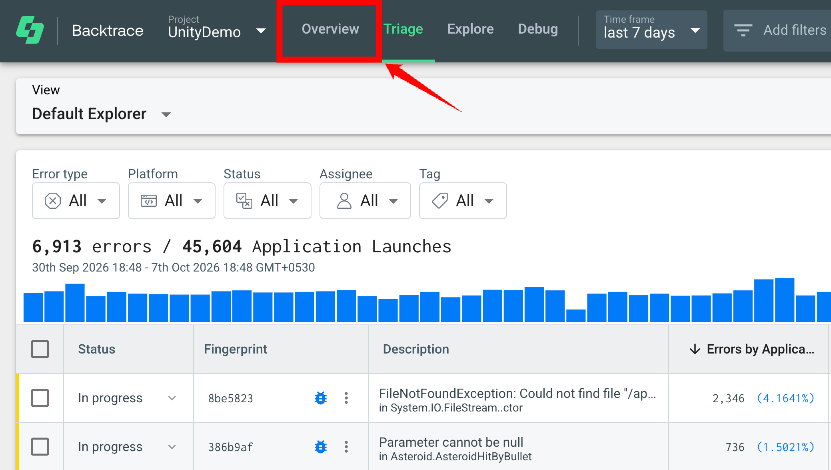
Step 1: In the Backtrace Web Console, select your project and go to the Overview tab.
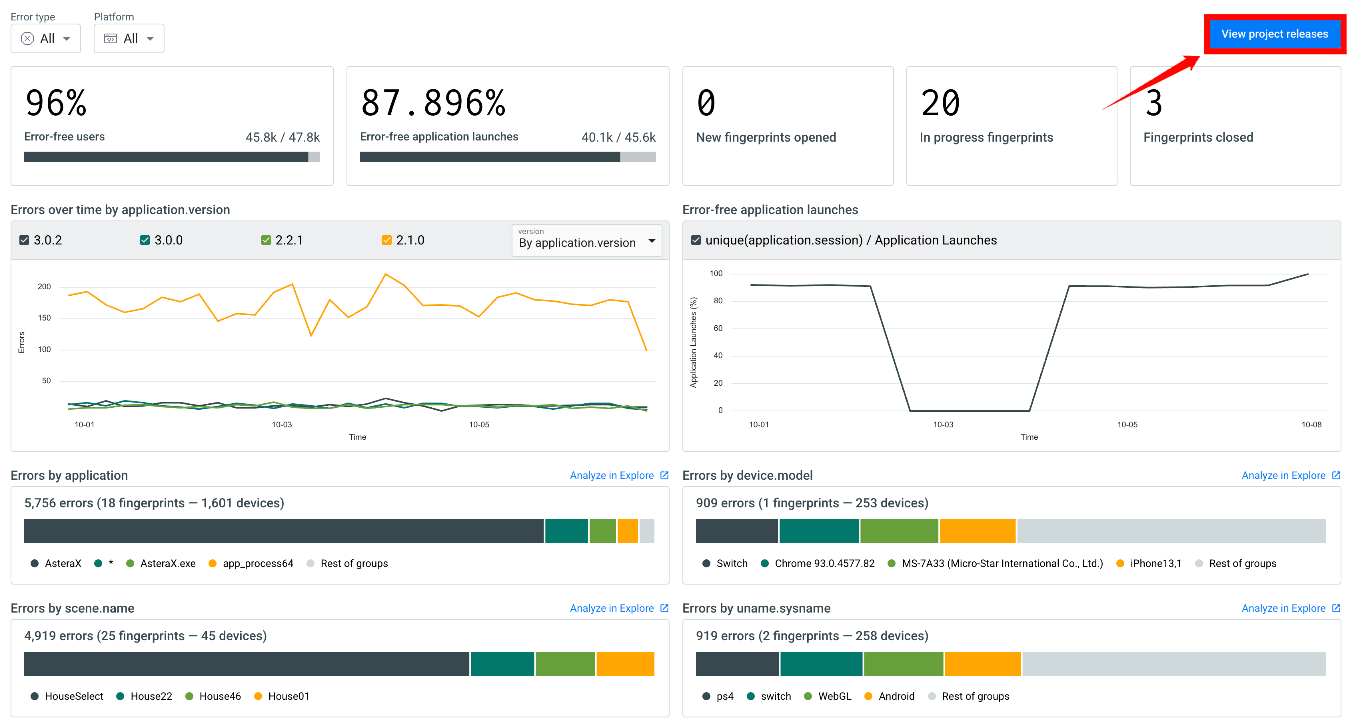
Step 2: Click View project releases in the upper-right corner of the page. The Releases view opens.
The Releases view includes three sections:
| Ref. | Section | Description |
|---|---|---|
| 1 | Controls | The Error type, Compare releases by, and Comparing releases dropdowns, which decide what the page compares. |
| 2 | Health charts | Four charts that track each release through time: user adoption, error-free application launches, errors over time, and new errors over time. |
| 3 | Compare groups table | One row per release, with aggregated stability metrics and triage status. |
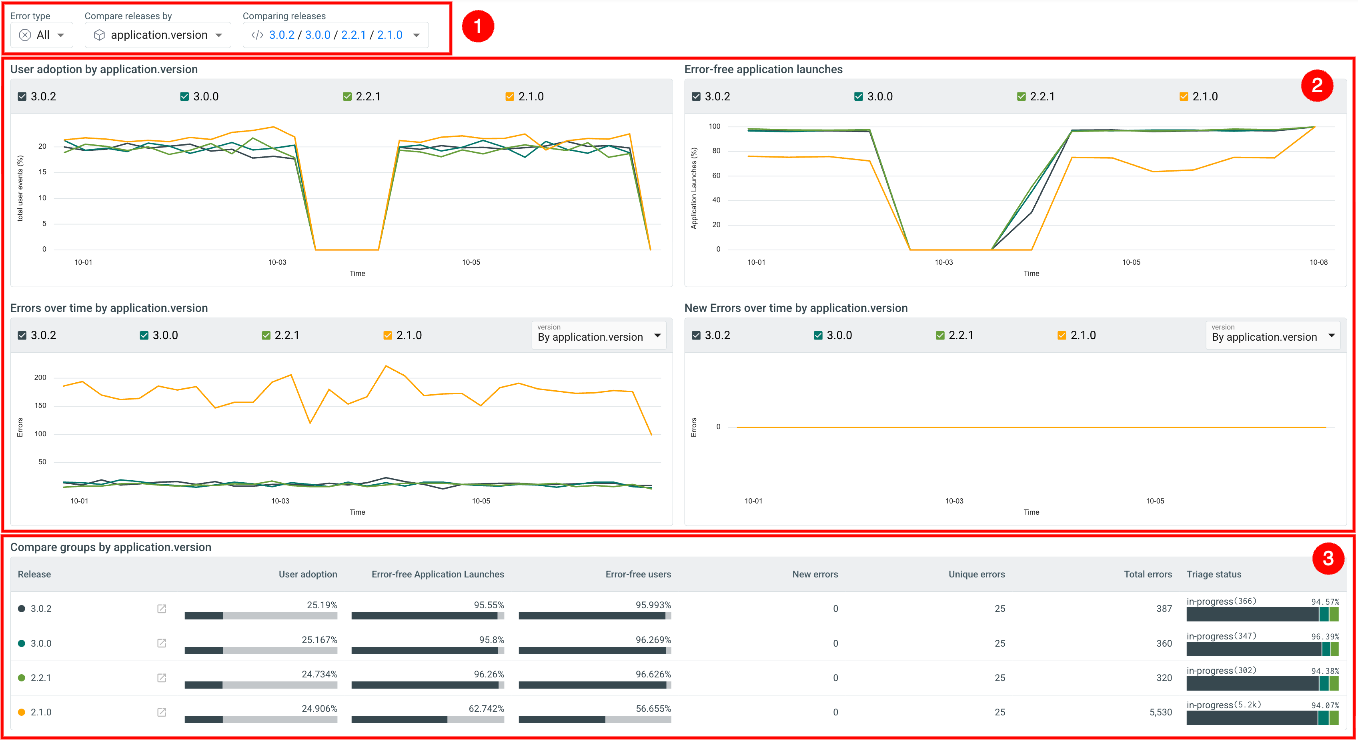
Each chart and the table use the same color for a given release, so you can follow one version across the whole page.
Use the Overview page for a quick, project-wide health check. Open the Releases view when you need to know which release is responsible for a change.
In This Section
- Configuring Release Views: Choose the error type, set the version attribute, select the releases to compare, and filter the view.
- Check Release Health Metrics: Track user adoption, error-free sessions, errors over time, and new errors over time for each release.
- Stability Metrics Table: Compare aggregated stability metrics and triage status per release, and drill into a release in the Triage view.