Hiding Sensitive Data
Beta release
Sauce Labs Mobile App Distribution offers a valuable feature that allows developers to conceal sensitive information from recorded sessions, ensuring that sensitive data, such as credit card information, remains protected during testing and debugging.
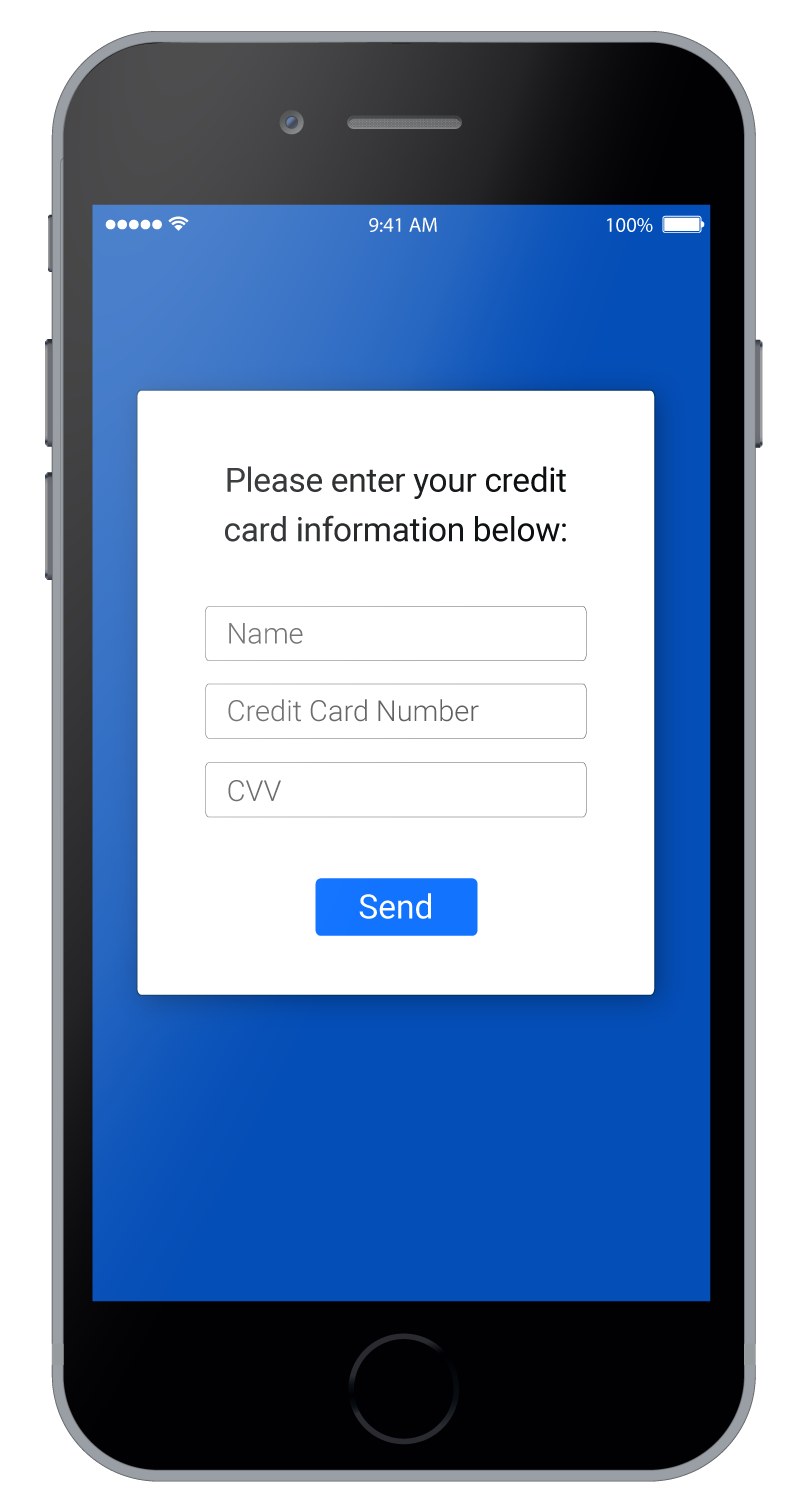
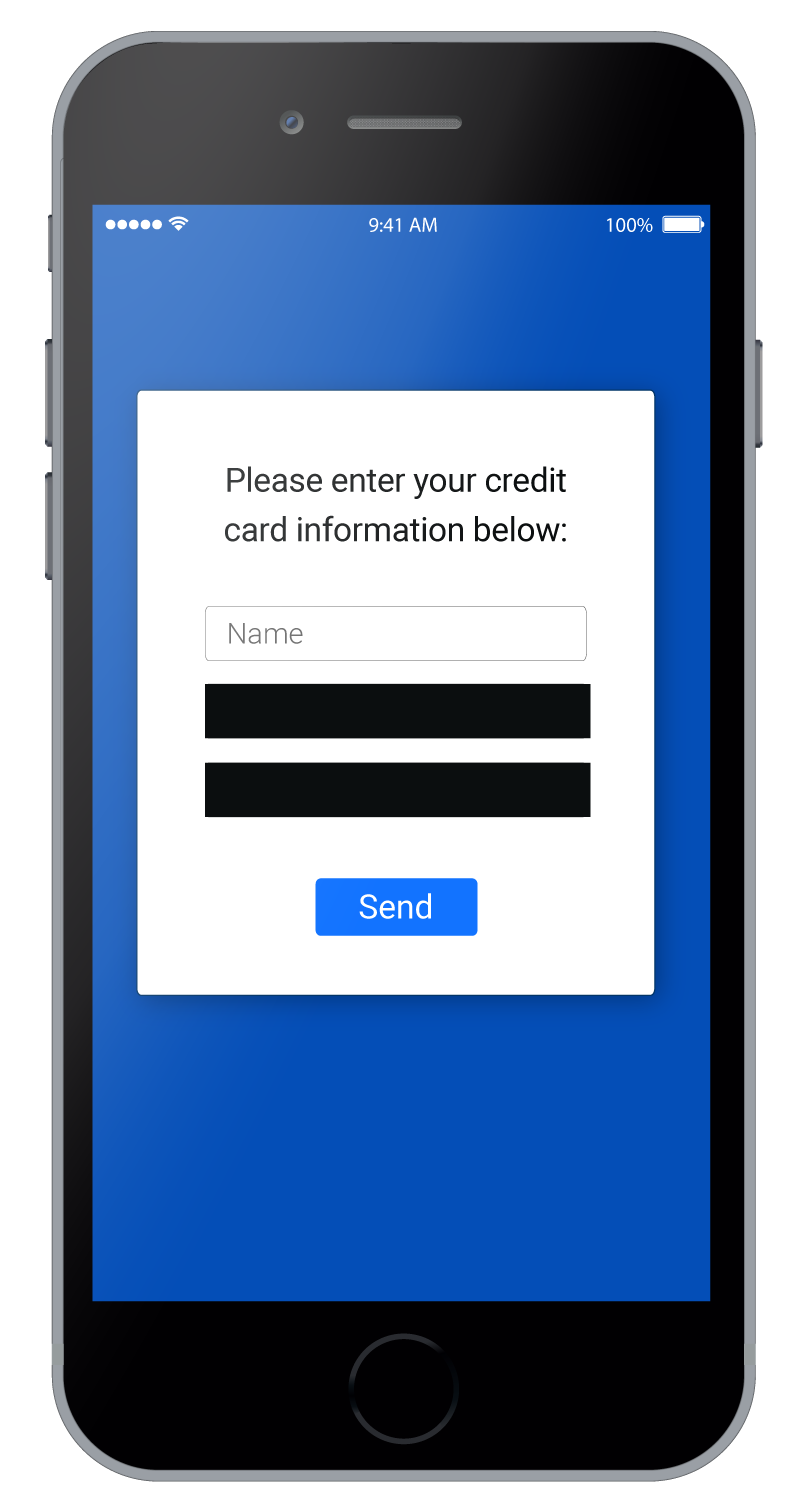
For example, you might want to prevent all information related to credit card data from appearing in the session:
- Android
- iOS
- React Native
To hide a view from video, all you need to do is the following:orReplace
TestFairy.hideView(Integer.valueOf(R.id.my_view));
TestFairy.hideView(View myView);
R.id.my_view with the identifier of the view you wish to hide. Review the full example below:Examplepublic class MyActivity extends Activity {
@Override
protected void onCreate(Bundle savedInstanceState) {
super.onCreate(savedInstanceState);
setContentView(R.layout.my_activity);
TestFairy.hideView(findViewById(R.id.credit_card));
}
}
To hide a view from video, all you need to do is call the static instance method hideView in the Sauce Labs Mobile App Distribution class:Example
UIView *view = ...
[TestFairy hideView:view];
@interface MyViewController : UIViewController {
    IBOutlet UITextField *usernameView;
    IBOutlet UITextField *creditCardView;
    IBOutlet UITextField *cvvView;
}

@implementation MyViewController

- (void)viewDidLoad {
    [super viewDidLoad];

    [TestFairy hideView:creditCardView];
    [TestFairy hideView:cvvView];
}
To hide a view from your recorded session, pass a reference to it to the SDK with
hideView. Attach a ref to the element and call hideView after the component has mounted:import React, { useEffect, useRef } from 'react';
import { Text } from 'react-native';
import TestFairy from '@saucelabs/mobile-beta-react-native';
function CardNumber() {
const instructions = useRef(null);
useEffect(() => {
TestFairy.hideView(instructions.current);
}, []);
return <Text ref={instructions}>This will be hidden</Text>;
}
hideView accepts the ref's current value, a native view tag (findNodeHandle(ref.current)) or a nativeID string.Example
Below are two screens from a demo video. On the left is the app as it normally looks. On the right, the Card Number field is hidden with hideView.
note
- Hidden views are automatically removed from the video before being sent to Sauce Labs Mobile App Distribution's servers, ensuring that sensitive data is never captured or exposed.
- Developers can hide multiple views in a session to protect various sensitive elements in the application.
- It is permissible to add the same view multiple times for hiding without any additional checks.