TeamCity
To automatically deply your Android or iOS Apps to Sauce Labs Mobile App Distribution by using TeamCity, follow the steps below:
-
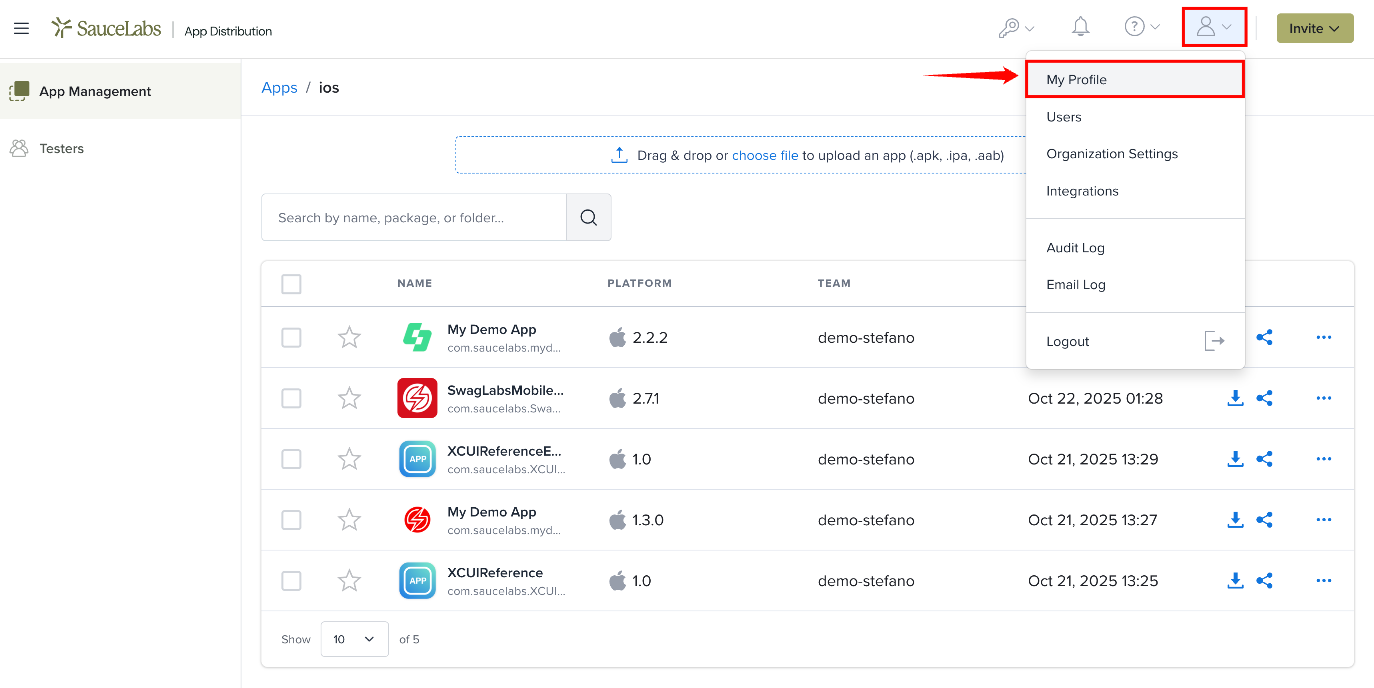
In Sauce Labs Mobile App Distribution, click the Profile icon in the top-right corner and select My Profile.
-
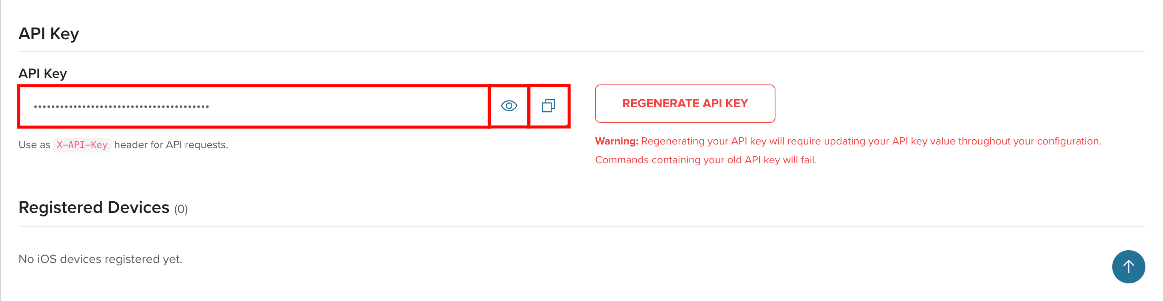
On the My Profile page, go to the API Key section and click the copy icon to copy the API key. You can also copy it from API Credentials in the top navigation bar.
-
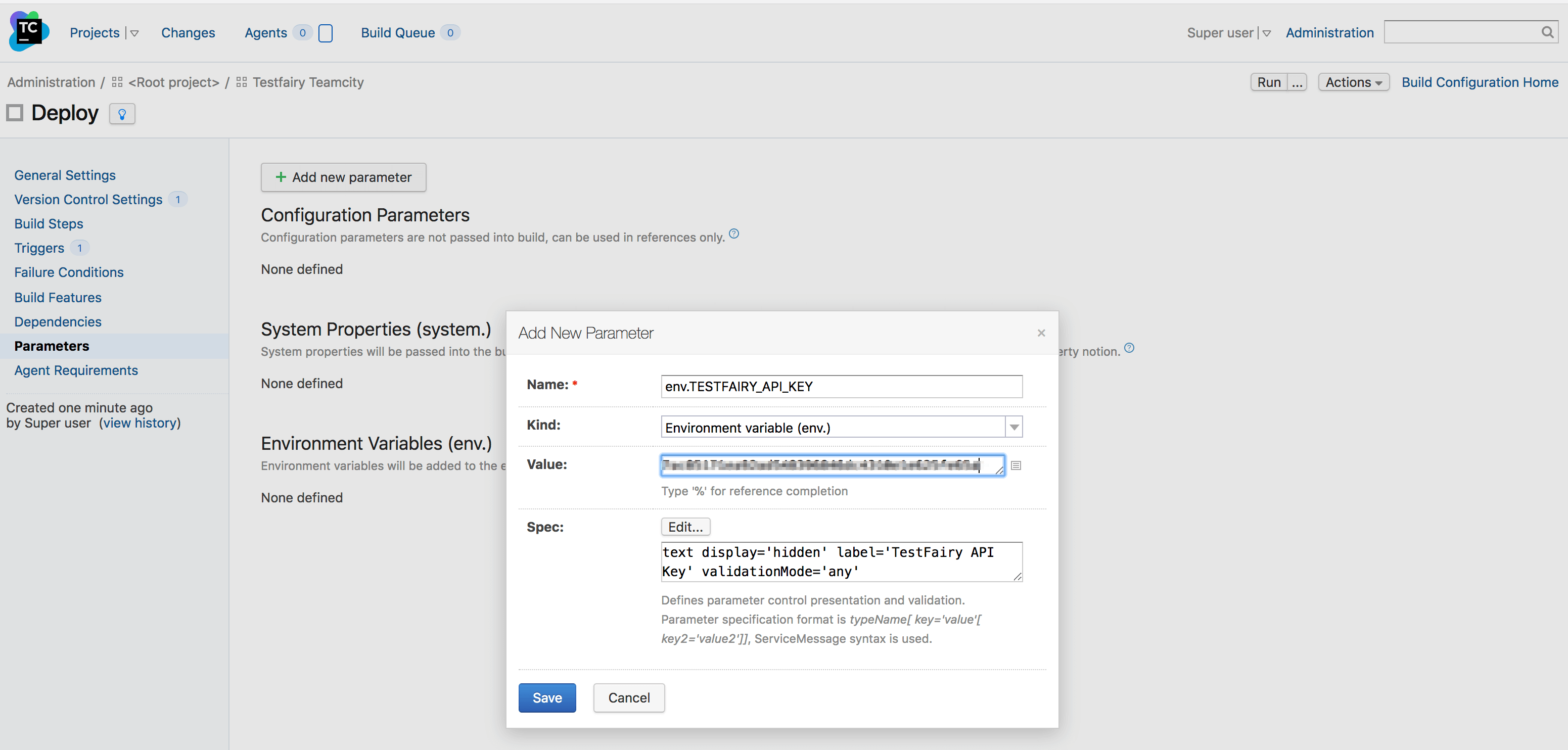
In TeamCity, add an environment variable as a New Parameter into the Build Configuration.
-
Name the parameter
env.TESTFAIRY_API_KEYand give it the value you copied from the Sauce Labs Mobile App Distribution My Profile page, and Save.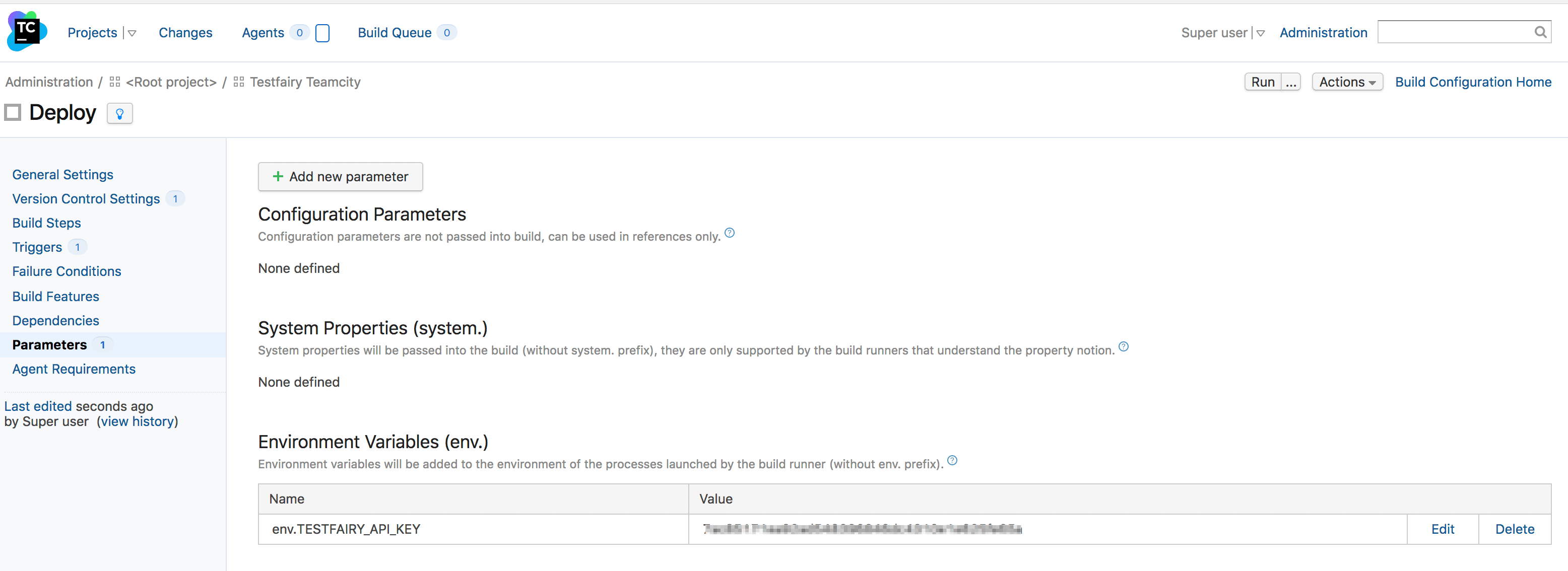
-
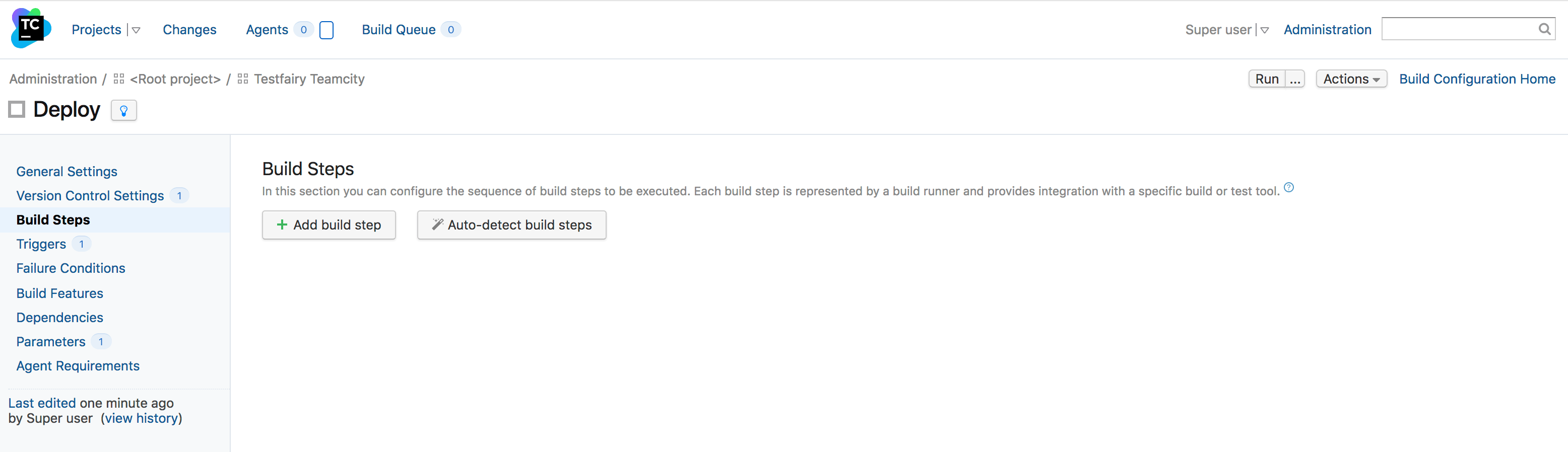
Add a Build Step to the Build Configuration you wish to deploy from.
-
Make sure to select a Command Line build step.
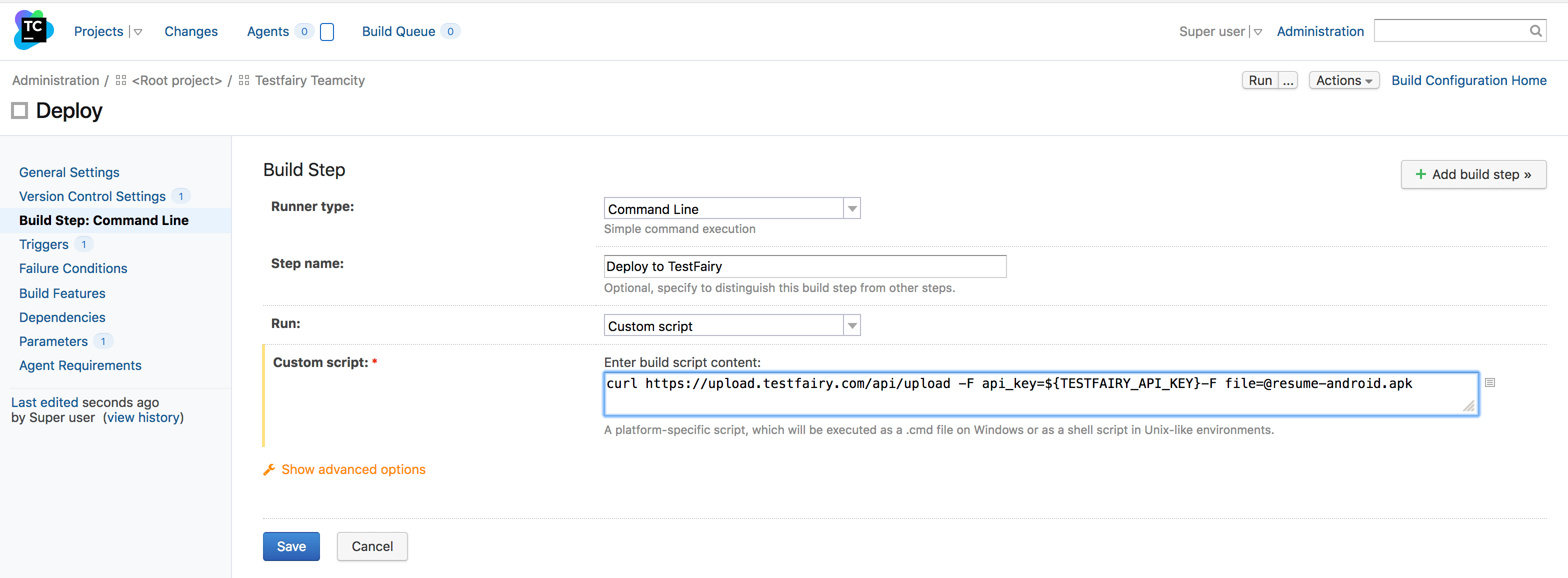
Copy the following command into the Custom script text field:
curl https://app.testfairy.com/api/upload -F api_key=${env.TESTFAIRY_API_KEY} -F comment="TeamCity build" -F file=@android.apknoteReplace the
-F file=@android.apkargument with a path to your own APK or IPA.
For a complete list of available options, visit the Sauce Labs Mobile App Distribution Upload API documentation.