Managing Teams
Teams help you organize your organization into separate groups, such as development or QA teams. Each project belongs to a team, and team membership determines which projects members can access.
Only Account Owners and Org Admins can create and manage teams.
Creating a Team
Step 1: Click on the Profile icon in the top-right corner, and then select Users.
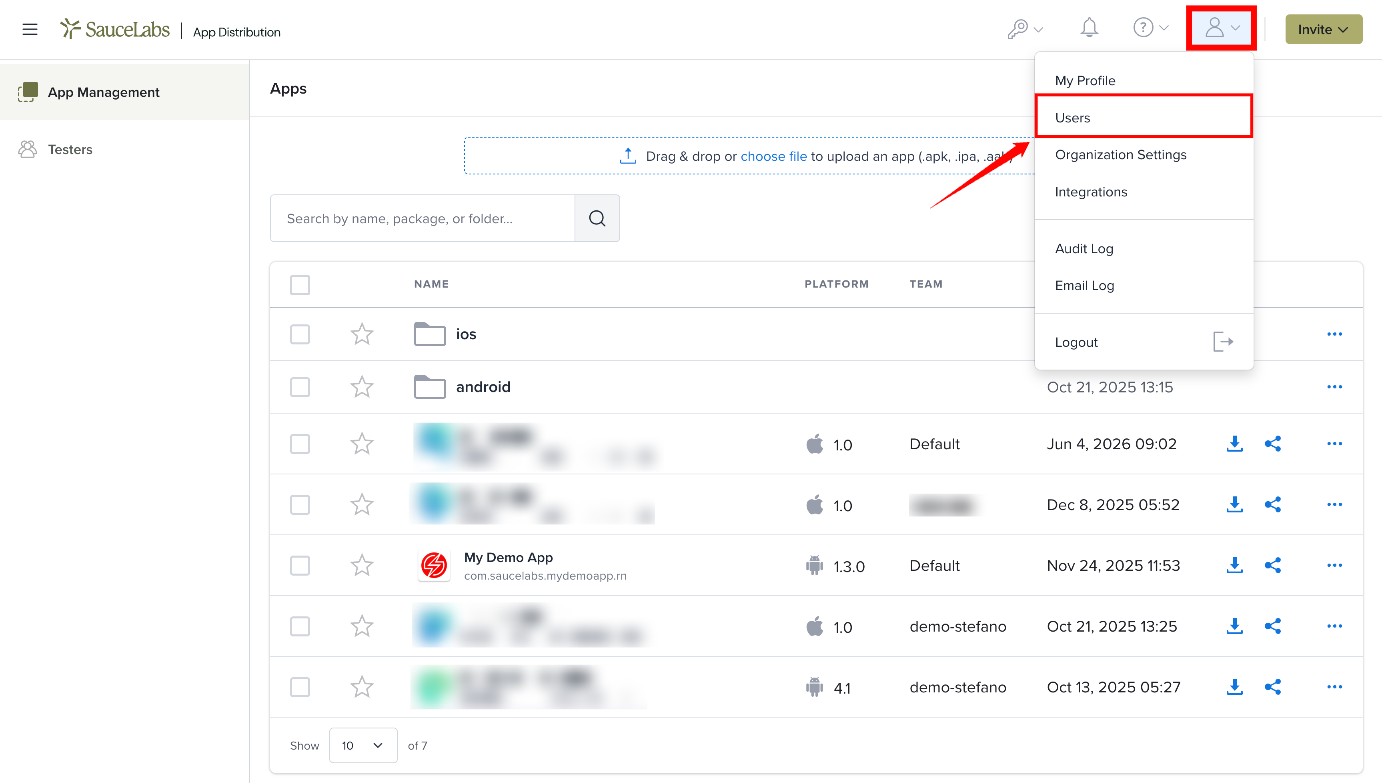
The Users item is shown to Account Owners, Org Admins and Team Admins. If your organization uses the Sauce Labs connection, Users opens Sauce Labs team management instead.
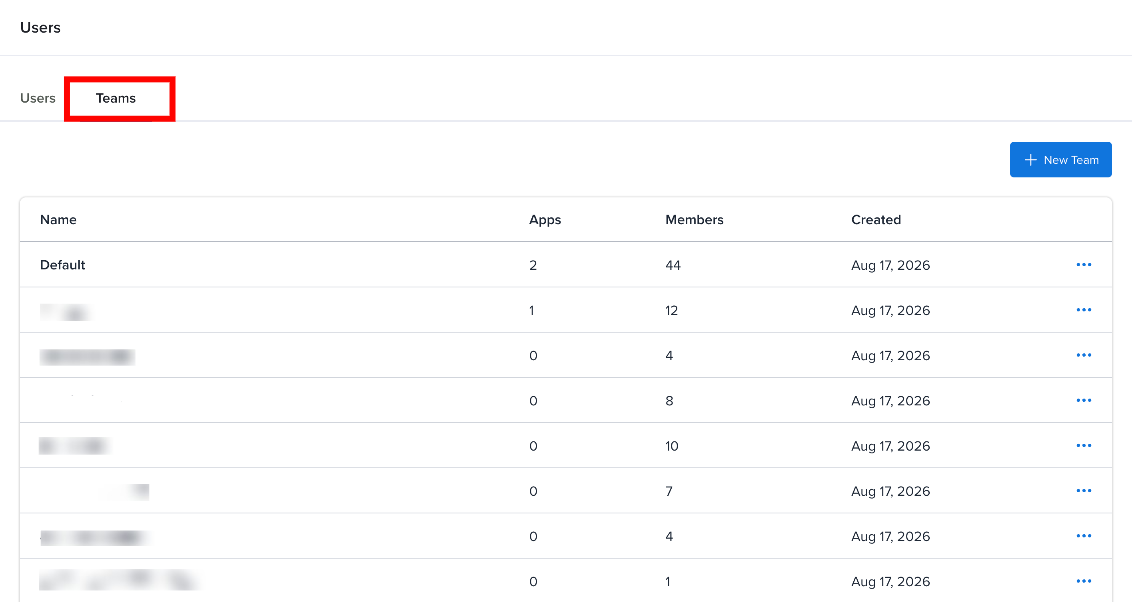
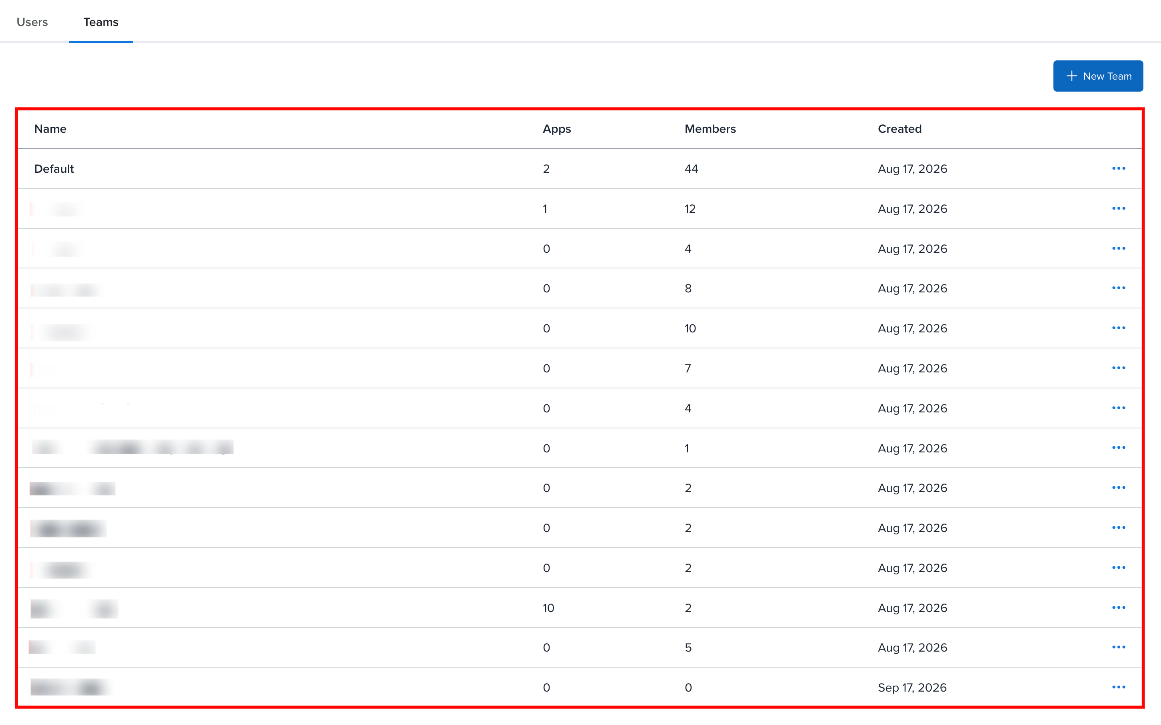
Step 2: On the Users page, select the Teams tab to view the teams in your organization.
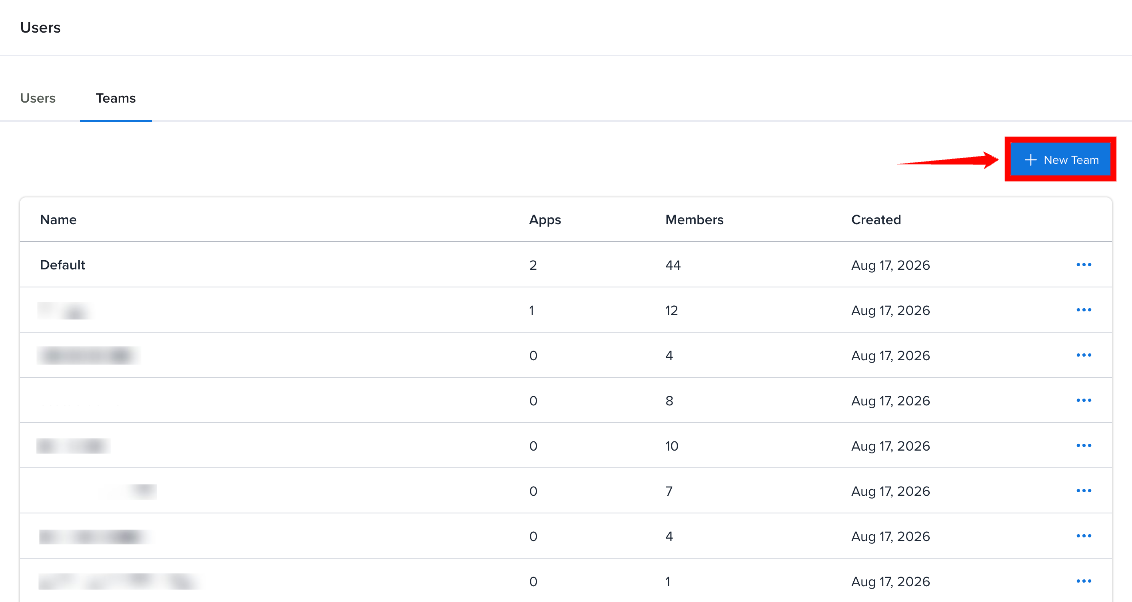
Step 3: To add a new team, click New Team.
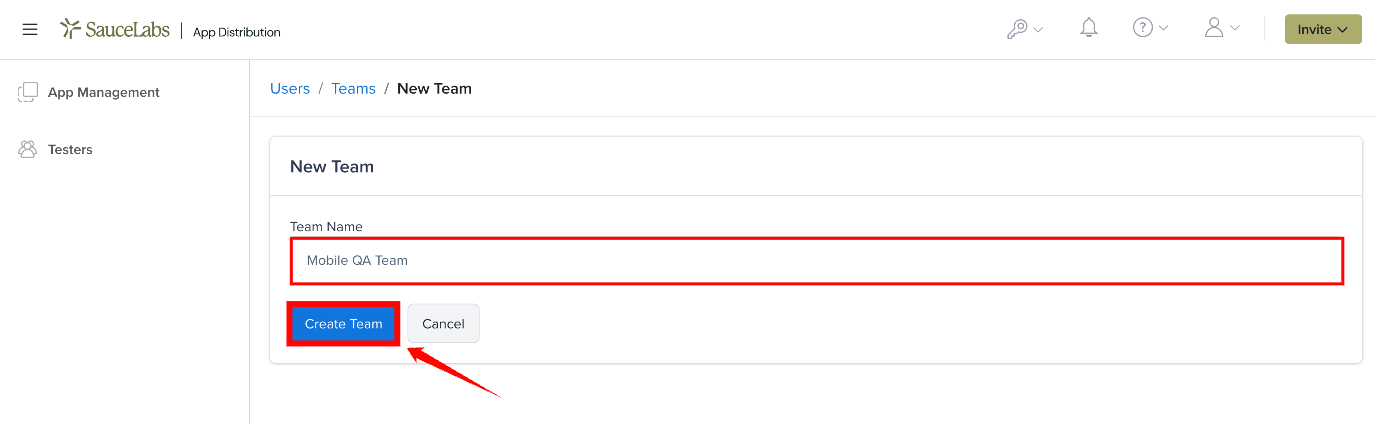
Step 4: Enter a name for the team, and click on the Create Team to save the team.
Step 5: The new team appears in the Teams list and can be used to organize members and projects.
Add Members to a Team
Open the team, search for a user, choose Member or Admin, and click +. You can also assign teams while inviting a user, using Assign to Teams.
Team Admins can add members to their own teams and set the team role. Only Account Owners and Org Admins can change a member's team role or remove a member from a team.
Editing and Deleting a Team
Account Owners and Org Admins can rename a team with Edit, or remove it with Delete.
Deleting a team permanently deletes all of its apps, builds and tester-group assignments. This can't be undone.
Team Structure
Teams determine how users and projects are organized in your organization.
| Sr. No. | Item | Description |
|---|---|---|
| 1 | Projects | Each project belongs to exactly one team. |
| 2 | Members | Members are assigned to one or more teams and can access projects belonging to those teams. |
| 3 | Team Admins | Team Admins can invite new users to their team (as Member), add existing organization users to the team, and give them the Member or Admin team role. They have all permissions available to Members. Only Org Admins and Account Owners can remove members, change team roles, or edit or delete a team. |
| 4 | Account Owners and Org Admins | Account Owners and Org Admins have access to all teams and their projects. |
| 5 | Testers | Testers can be shared across teams. They can access apps assigned to the tester groups they belong to, regardless of the team. |
Team Roles
| Team Role | Permissions |
|---|---|
| Team Admin | Invite new users to the team as Members, add existing users to the team, and set their team role, plus all Member permissions below. |
| Member | Create projects, upload builds, create tester groups, and invite testers. |
Best Practices
- Create teams that mirror your development departments (e.g., "iOS Team", "Android Team", "QA").
- Keep team sizes manageable - if a team has too many projects, consider splitting it.
- Use the Team Admin role to delegate adding members without granting full admin access.