OIDC Authentication
Configure OpenID Connect (OIDC) to authenticate API requests with JWT tokens issued by your identity provider. OIDC can be used instead of API keys or alongside them, depending on the authentication mode you select.
Only Account Owners and Org Admins can configure OIDC.
Setting Up OIDC
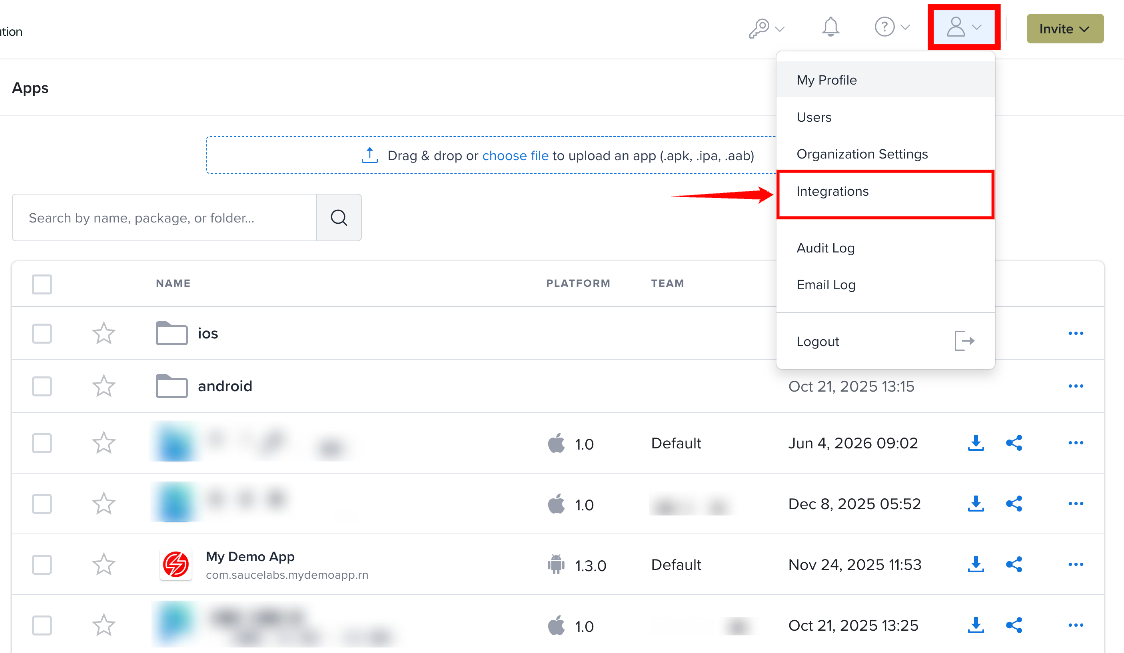
Step 1: Click the Profile icon in the top-right corner and select Integrations from the user menu.
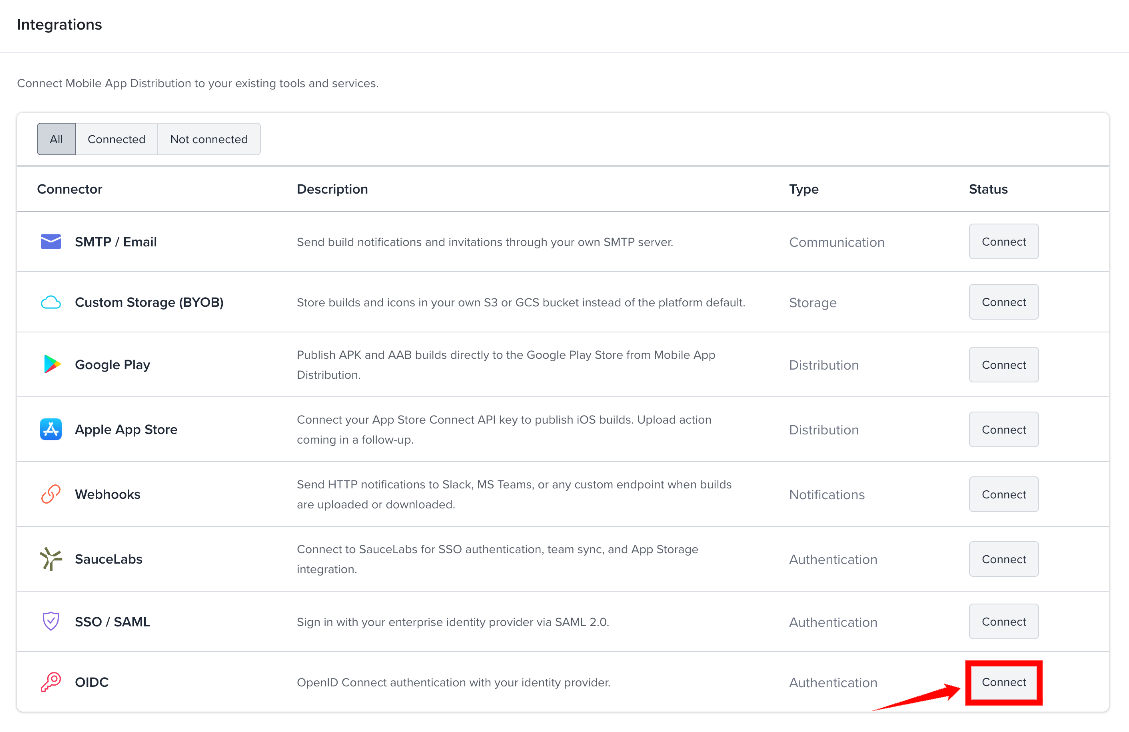
Step 2: On the Integrations page, find OIDC and click Connect.
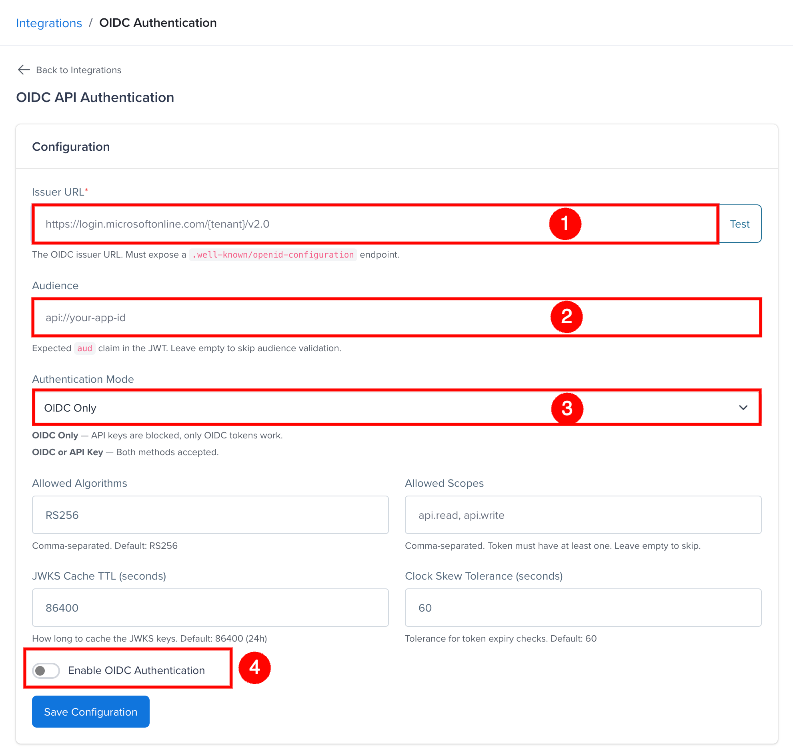
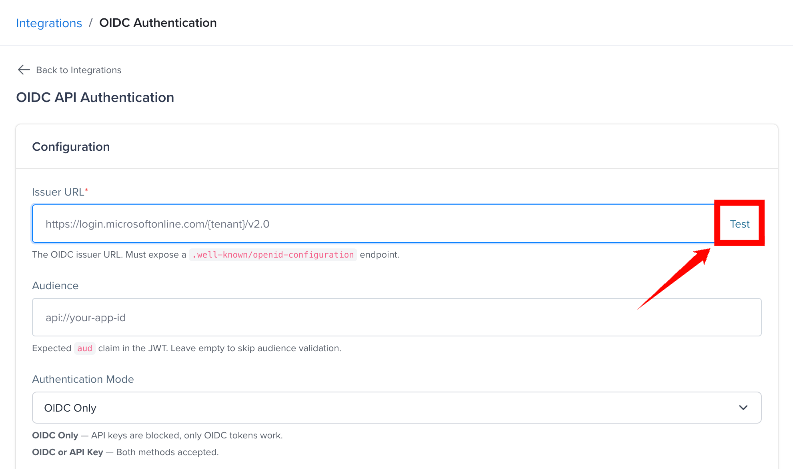
Step 3: On the OIDC API Authentication page, configure the settings in the Configuration form:
| Ref. | Setting | Description |
|---|---|---|
| 1 | Issuer URL | Enter your identity provider's Issuer URL. It must expose a .well-known/openid-configuration endpoint. |
| 2 | Audience | Enter the expected aud claim in the JWT. Leave this field empty to skip audience validation. |
| 3 | Authentication Mode | Select the authentication mode to use for OIDC authentication. |
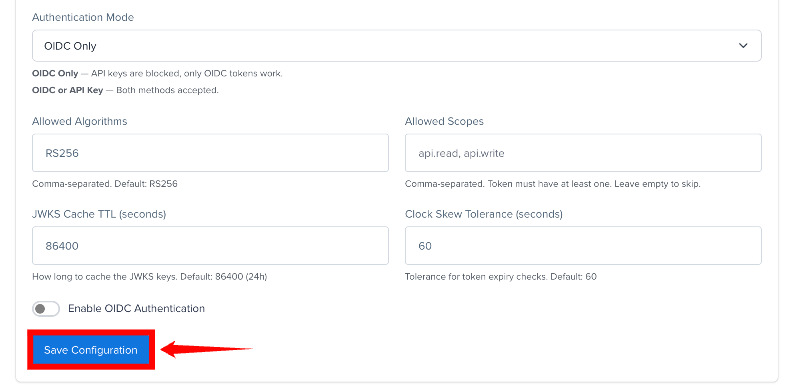
| 4 | Enable OIDC Authentication | Turn on this option to enable OIDC authentication for your organization. |
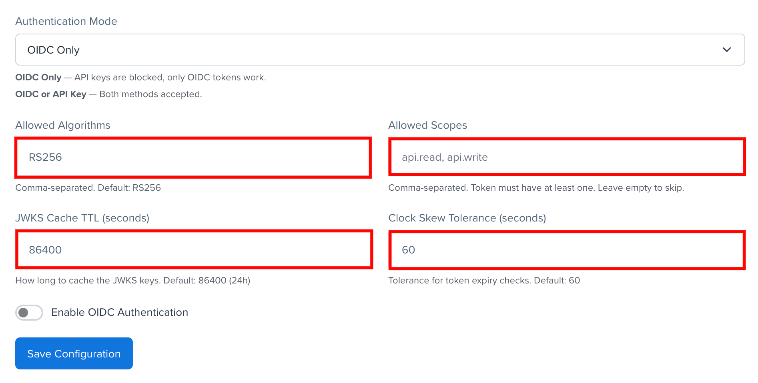
The same form also includes these fields, which control how OIDC tokens are validated:
- Allowed Algorithms - the default algorithm used for JWKS keys that don't specify an
alg. Keys that specify their ownalguse that algorithm. Only the first value is used (default:RS256). - Allowed Scopes - comma-separated. The token must contain at least one of these scopes. Leave empty to skip scope validation.
- JWKS Cache TTL - how long to cache the JWKS keys in seconds (default: 86400 = 24 hours).
- Clock Skew Tolerance - tolerance in seconds for token expiry checks (default: 60).
Step 4: Click Test next to Issuer URL to check discovery. It shows the issuer, JWKS URI, number of keys and supported algorithms.
Step 5: Click Save Configuration. To remove the configuration, use Delete Configuration.
Authentication Modes
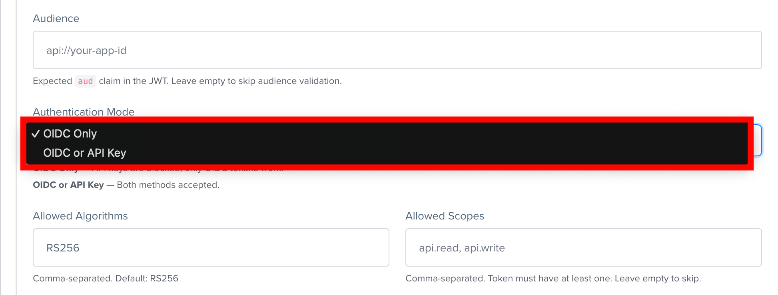
Choose how API requests should be authenticated:
| Mode | Description |
|---|---|
| OIDC Only | API keys are blocked. Only OIDC tokens are accepted for API requests. |
| OIDC or API Key | Requests that send the X-OIDC-Config-Key header are authenticated with OIDC only. Requests without it use the API key. There is no fallback if OIDC fails. |
Token Validation
- The
issclaim must match the Issuer URL. - The
audclaim is checked only if Audience is set. - Scopes are read from the
scopeclaim, notscp. - Clock Skew Tolerance applies to the
exp,nbfandiatclaims. - OIDC Only mode also blocks Bearer tokens and Basic authentication for the organization.
The OIDC configuration is also available through the API at /api/v3/settings/oidc.
Making API Requests with OIDC
After you save the configuration, the Integration Details section shows a Config Key (it starts with oidc_). Use this key together with the OIDC access token when making API requests.
OIDC requests act as the organization's Account Owner: they have full owner permissions, and audit log entries show the owner's name.
Include the following headers:
curl -H "Authorization: Bearer YOUR_OIDC_TOKEN" \
     -H "X-OIDC-Config-Key: YOUR_CONFIG_KEY" \
     https://your-org.testfairy.com/api/v3/projects