Audit Log
The Audit Log records significant actions performed within your organization. It helps Account Owners and Org Admins review organization activity and track actions performed by users. Only Account Owners and Org Admins can access the audit log.
Access the Audit Log
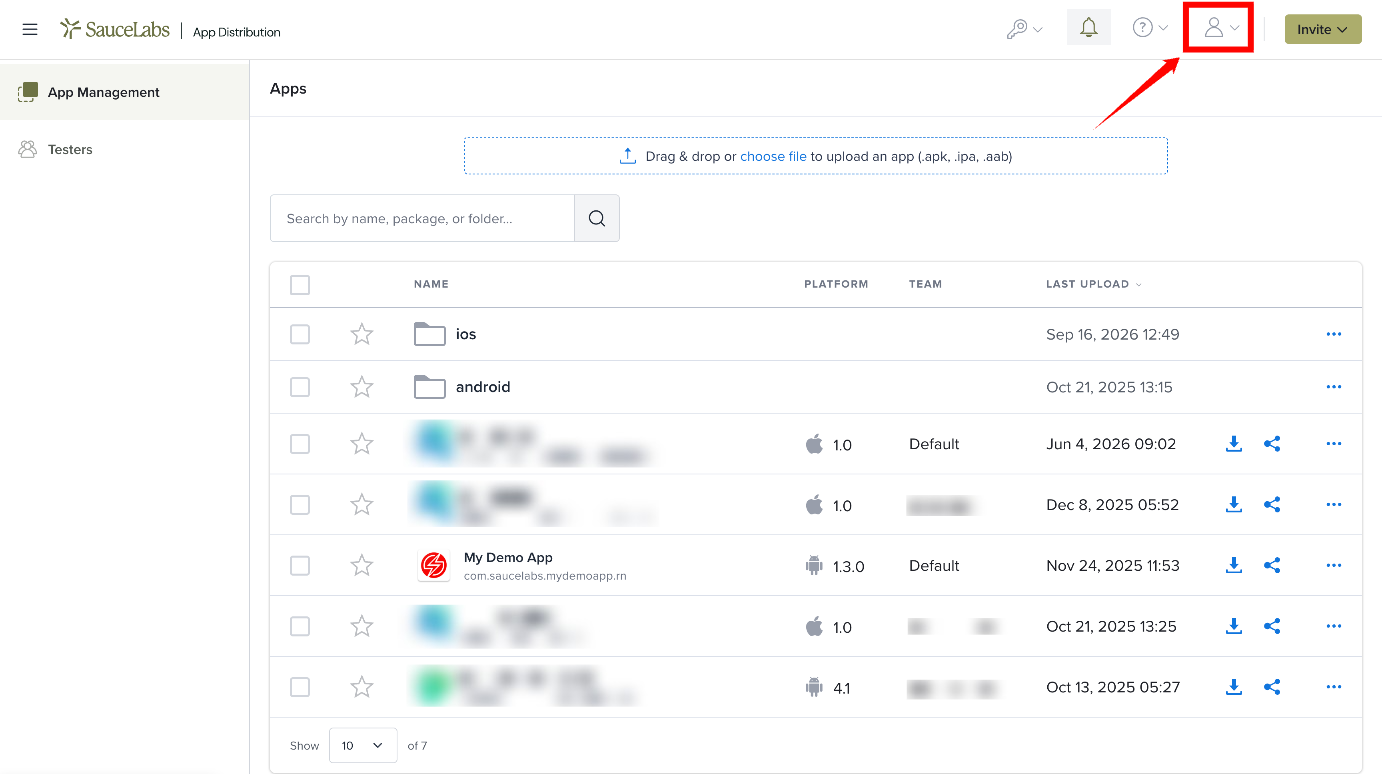
Step 1: Click the Profile icon in the top navigation bar.
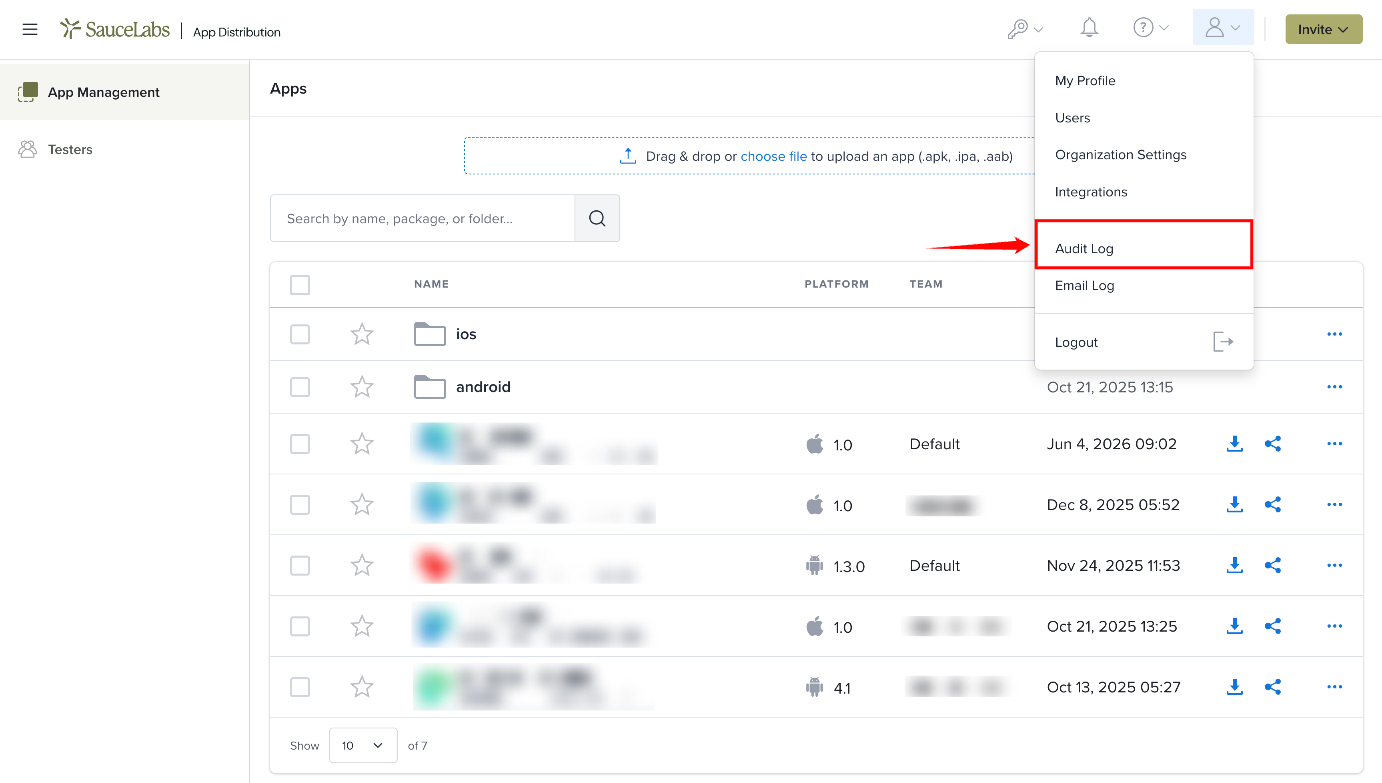
Step 2: Select Audit Log from the dropdown menu. The Audit Log page opens and displays the recorded organization activities.
What Is Recorded
Around 80 action types are recorded, across these areas:
| Area | Examples of recorded actions |
|---|---|
| Teams | Team created, updated or deleted; members added or removed |
| Tester groups | Group created, updated or deleted; testers added or removed |
| Members and testers | Member invited or removed; role changed; tester blocked or unblocked |
| Apps | App created, updated or deleted |
| Builds | Build uploaded, updated or deleted |
| Publishing | Builds published to Google Play or the Apple App Store |
| Integrations | SSO, OIDC, SMTP and custom storage configuration changes |
| Webhooks | Webhook created, updated or deleted |
| API keys | API key regenerated |
| Profile | Profile updated, password changed |
Sign-ins are not logged.
Filter Audit Log Entries
Use the filters on the Audit Log page to find specific entries.
| Sr. No. | Filter | Description |
|---|---|---|
| 1 | Search | Enter a user's email address or action details in the Search field to find matching entries. |
| 2 | Action type | A searchable list of the action types that appear in your organization's log, shown with readable names (for example Member Invited). |
| 3 | Time range presets | Select Last 7 days, Last 30 days, Last 60 days, Last 90 days, or All time. |
| 4 | Custom date range | Specify a custom From and To date to filter entries for a specific period. Choosing a preset replaces any custom dates. |
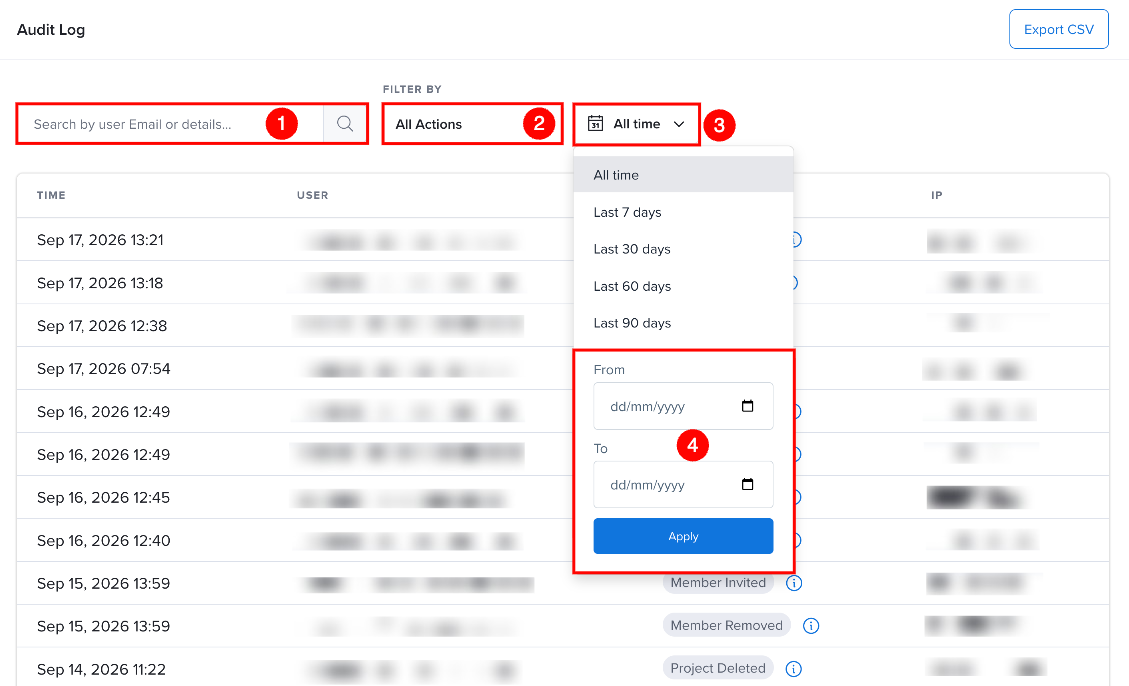
All filters can be combined. The entry count updates to reflect the active filters.
Exporting to CSV
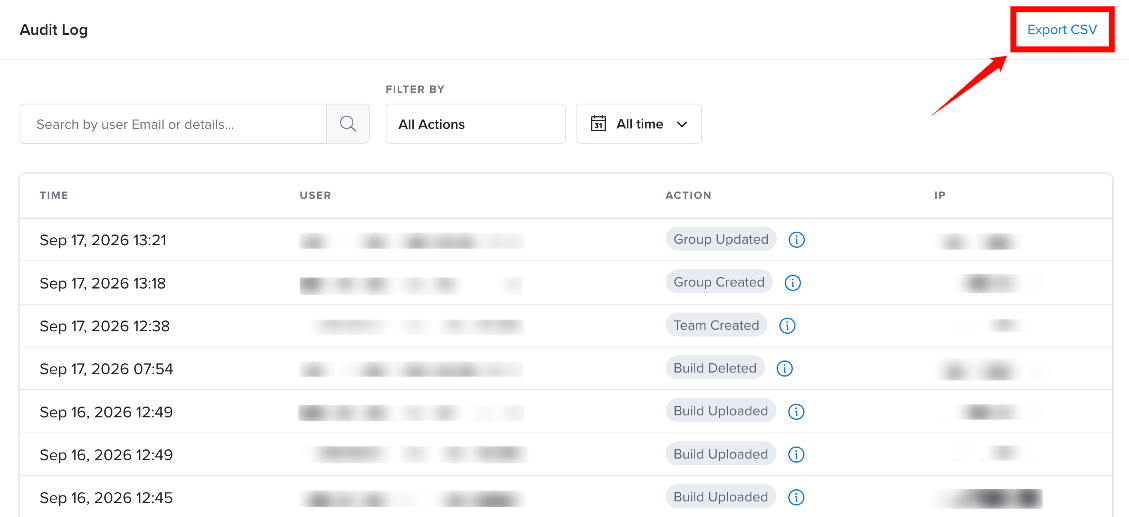
Click Export CSV to download the currently filtered entries as a CSV file. The export respects all active filters (search, action type, and date range). The CSV includes columns for Time, User, Action, Details, and IP.
API Access
The audit log is also available through the API: GET /api/v3/audits (legacy: /api/1/audits, /api/2/audits). See the API Reference.