API Keys
This guide explains how to find, regenerate, and use API keys for programmatic access to Sauce Labs Mobile App Distribution.
Overview
An API key is a unique identifier used to authenticate API requests to Sauce Labs Mobile App Distribution. Your API key is not your account password - it's a separate credential specifically for API access.
API keys are used with the REST API, including build uploads.
Testers don't have an API key. The API Credentials menu and the API Key section aren't shown to them.
Finding Your API Key
To find your API key:
- Log in to your Sauce Labs Mobile App Distribution account.
- Click API Credentials in the top navigation bar, or click the Profile icon in the top-right corner and select My Profile.
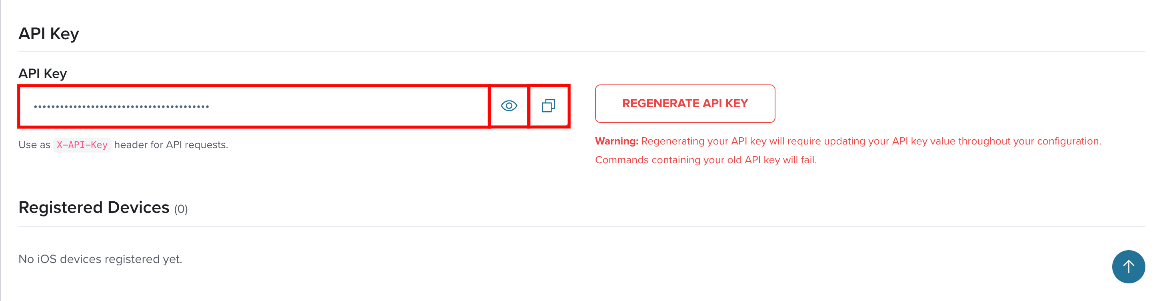
- Locate the API Key section.
- Click the eye icon to view the key, or the copy icon to copy it.
Regenerating Your API Key
To regenerate your API key:
- Click the Profile icon in the top-right corner and select My Profile.
- In the API Key section, click Regenerate API Key.
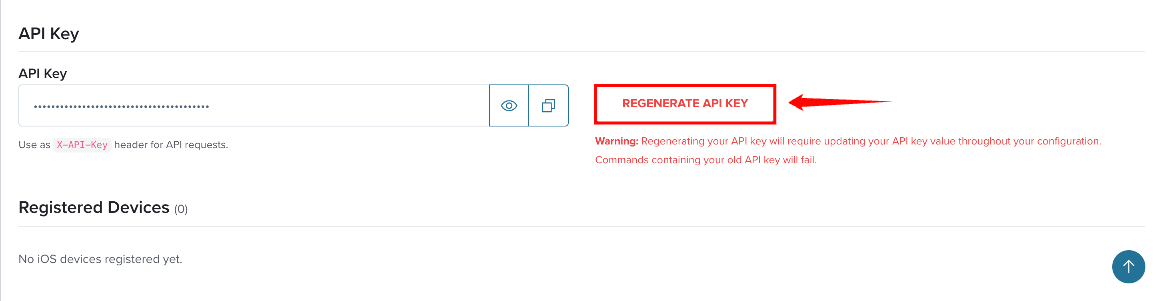
When you regenerate your API key, the old key is immediately invalidated. Update all integrations with the new key before they fail.
Using API Keys
X-API-Key Header
Pass the API key in the X-API-Key header:
curl -H "X-API-Key: YOUR_KEY" https://your-org.testfairy.com/api/v3/projects
HTTP Basic Auth
Use your email address as the username and your API key as the password:
curl -u "you@example.com:YOUR_KEY" https://your-org.testfairy.com/api/v3/projects
Where:
- Username: Your email address
- Password: Your API key (not your account password)
Uploading Builds
Uploads use the same API key:
curl -X POST https://your-org.testfairy.com/api/v3/builds/upload \
  -H "X-API-Key: YOUR_KEY" \
  -F project_id=$PROJECT_ID \
  -F file=@app.apk
You can also exchange your API key for a short-lived Bearer token via POST /api/v3/auth/token. See the API Reference for all authentication methods.
Security Best Practices
| Practice | Description |
|---|---|
| Keep API keys private | Never share your API key or post it on public code repositories or forums. |
| Use environment variables | Store API keys in environment variables or secrets management solutions, not in code. |
| Use service accounts for automation | Create dedicated service accounts for CI/CD pipelines instead of using personal credentials. |
| Rotate keys periodically | Regenerate API keys on a regular schedule or after any potential exposure. |
| Use different keys per environment | Create separate service accounts for development, staging, and production. |
| Monitor API usage | Review the audit log regularly to detect unusual activity. |
| Limit key exposure | Only share API keys with systems that need them. |
See Also
- My Profile - Where your API key is managed
- Service Accounts - Creating dedicated accounts for automation
- OIDC Authentication - Token-based authentication alternative
- API Reference - Complete REST API documentation