Account Settings
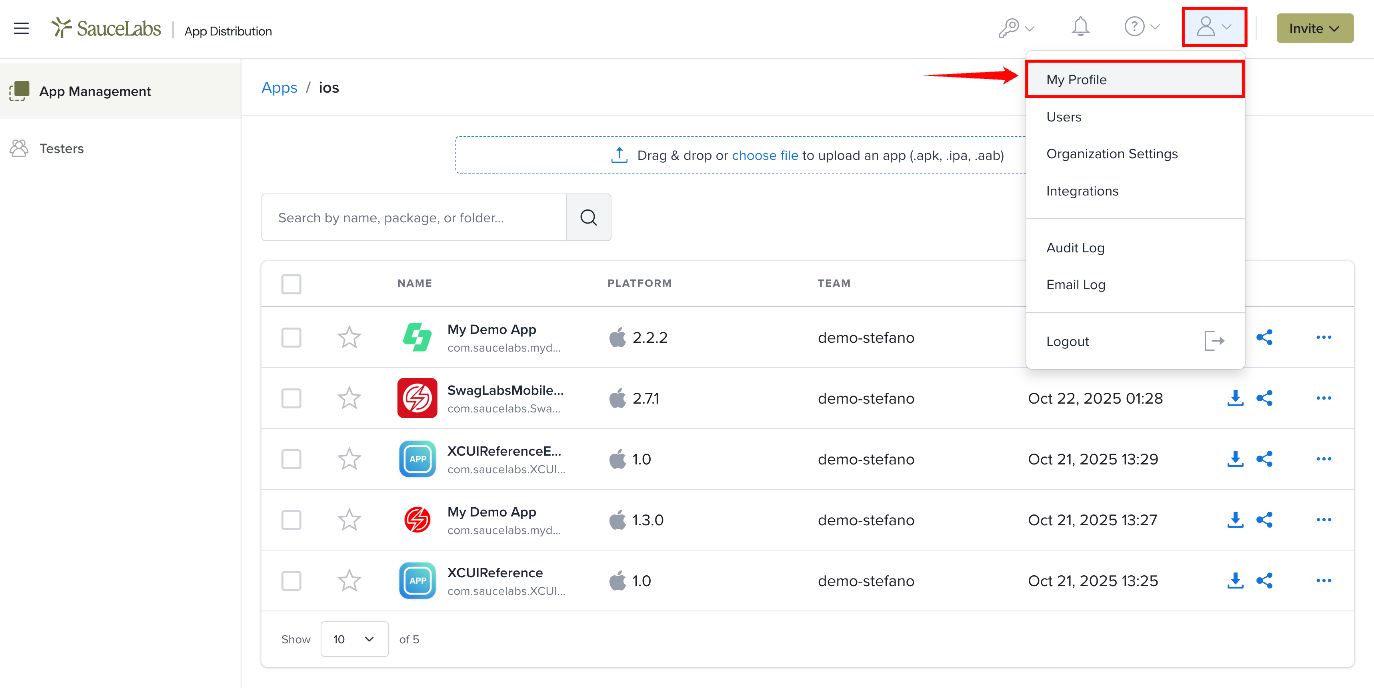
Account settings are available from the user menu. Click the Profile icon in the top-right corner to open it, then select:
- My Profile for your personal settings, such as your API key, timezone and email notifications.
- Organization Settings for organization-wide settings, such as security and data retention. Only Account Owners and Org Admins can access Organization Settings.
- Integrations to connect your organization to other services.
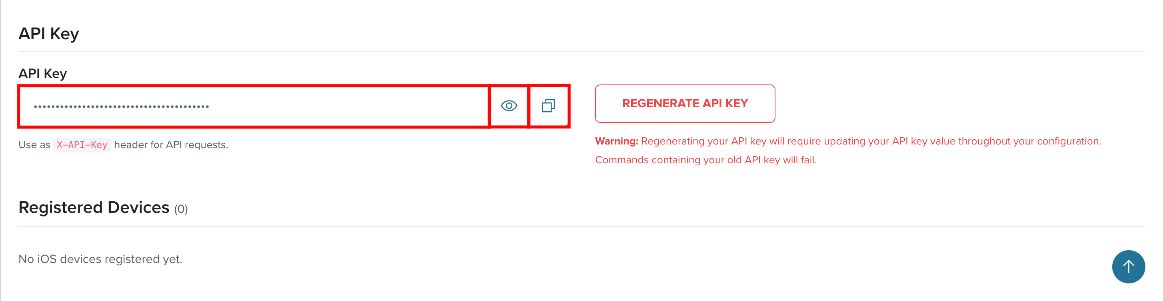
API Key
Your API key (access key) authenticates API requests. It's available from the API Credentials dropdown in the top navigation bar and the API Key section on the My Profile page. See API Keys for usage details.
For automated workflows, use dedicated service accounts.
Notifications
On the My Profile page, use the Receive emails for new builds and app assignments toggle in the Email Settings section to control which emails you receive. Click Update to save.
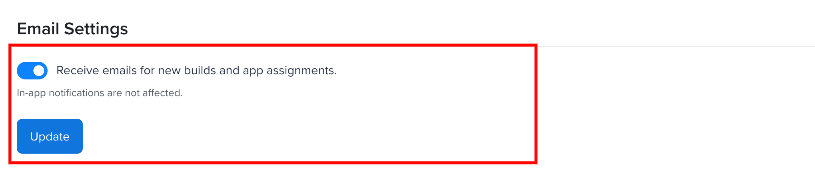
In-app notifications are always on. See Notifications for more information.
Integrations
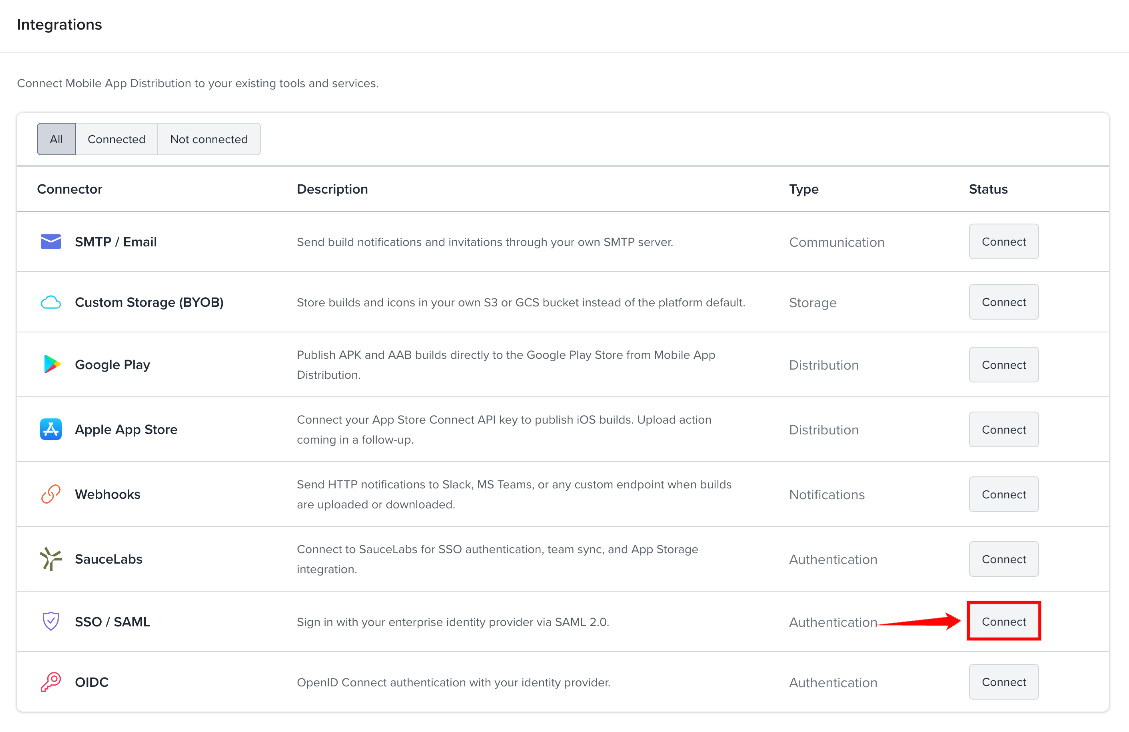
You can integrate your Sauce Labs Mobile App Distribution organization with different services to customize and streamline your work processes. Click the Profile icon and select Integrations to open the Integrations page.
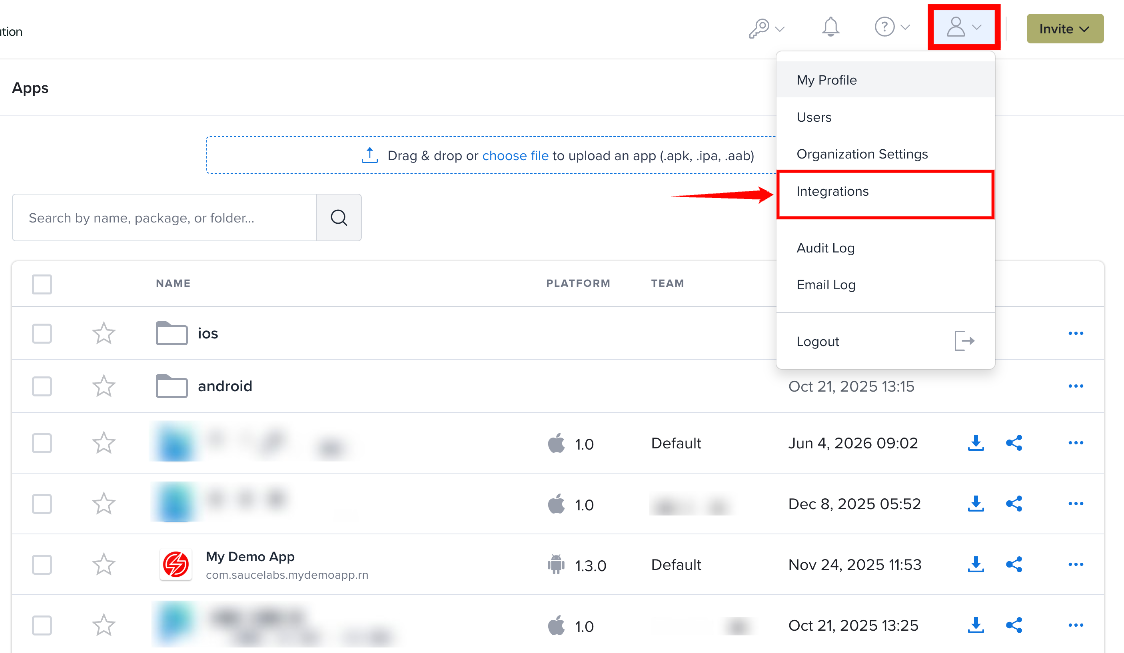
- SMTP / Email - Send emails from your own mail server. See SMTP / Email.
- Webhooks - Send event notifications to other services. See Webhooks.
For the full list, see the Integrations section, starting with Sauce Labs Connection.
Security
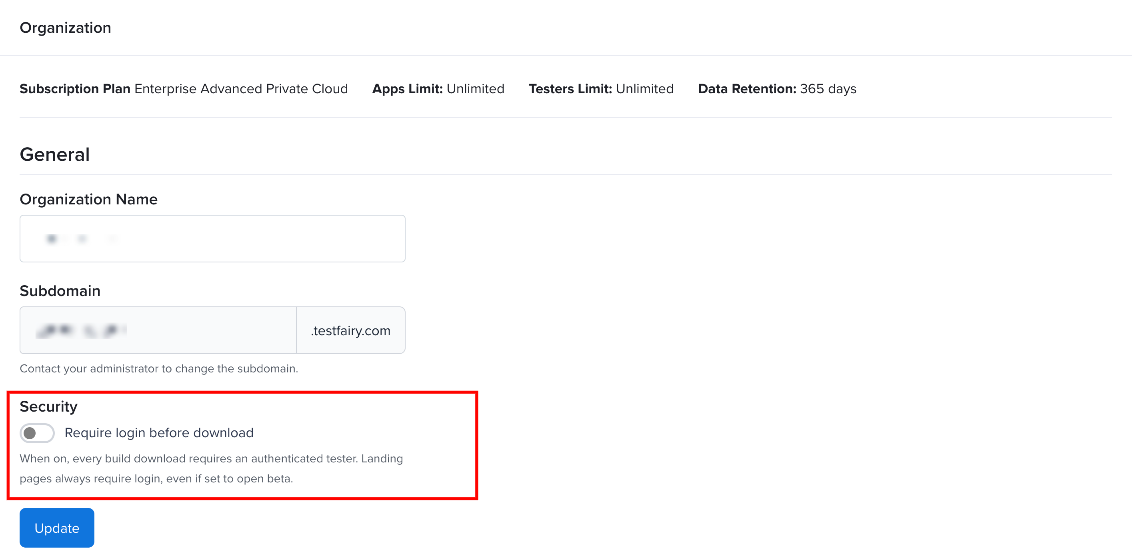
To ensure testers log in before downloading your app, enable Require login before download in the Security section of Organization Settings, then click Update.
SAML/Single Sign-On
Account Owners and Org Admins can configure SAML-based Single Sign-On with your identity provider's metadata. Click the Profile icon, select Integrations, then click Connect next to SSO / SAML.
See SSO / SAML for the full setup.
Timezone and Data Retention
Timezone is set in the Timezone Settings section of My Profile. Select Auto-detect to use your browser's timezone, or choose one manually.

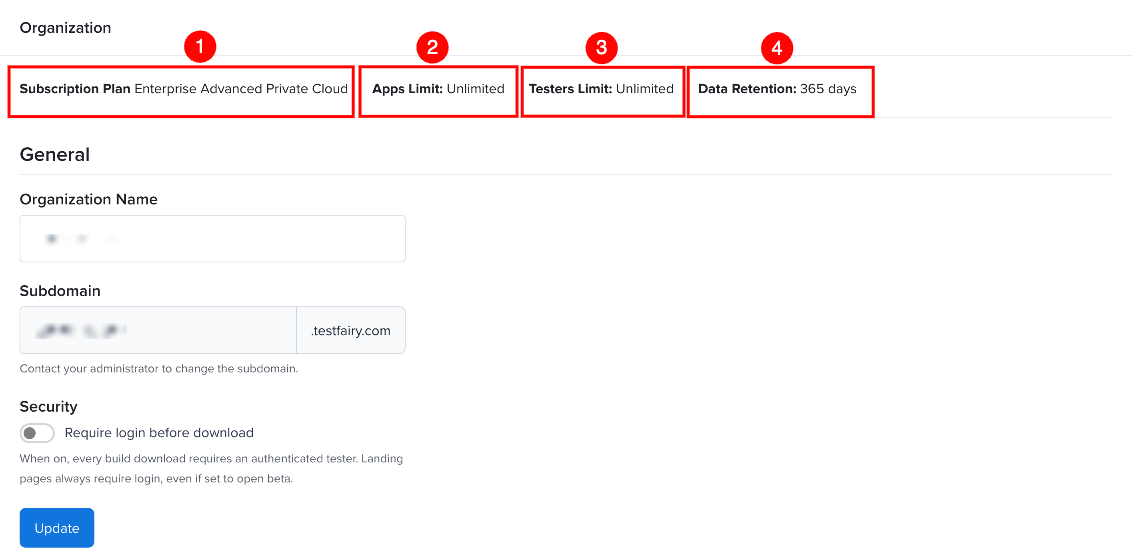
Data Retention is shown in the subscription details at the top of Organization Settings, next to your plan and limits.
For more information, see My Profile and Organization Settings.